











Summary:
Choosing between inventory management software and an ERP system is a strategic business decision. Inventory software focuses on tracking stock and warehouse operations, making it ideal for simple or growing businesses. ERP systems, however, integrate inventory with finance, HR, CRM, and analytics, providing a centralized view of business performance. While ERP requires higher investment and longer implementation, it delivers deeper insights, automation, and scalability. The right choice depends on your operational complexity, growth plans, and need for cross-functional data integration.
February 11, 2026
Introduction: Why This Decision Matters More Than You Think
Every growing business eventually faces the same crossroads: Should we stick with inventory software or invest in a full ERP system?
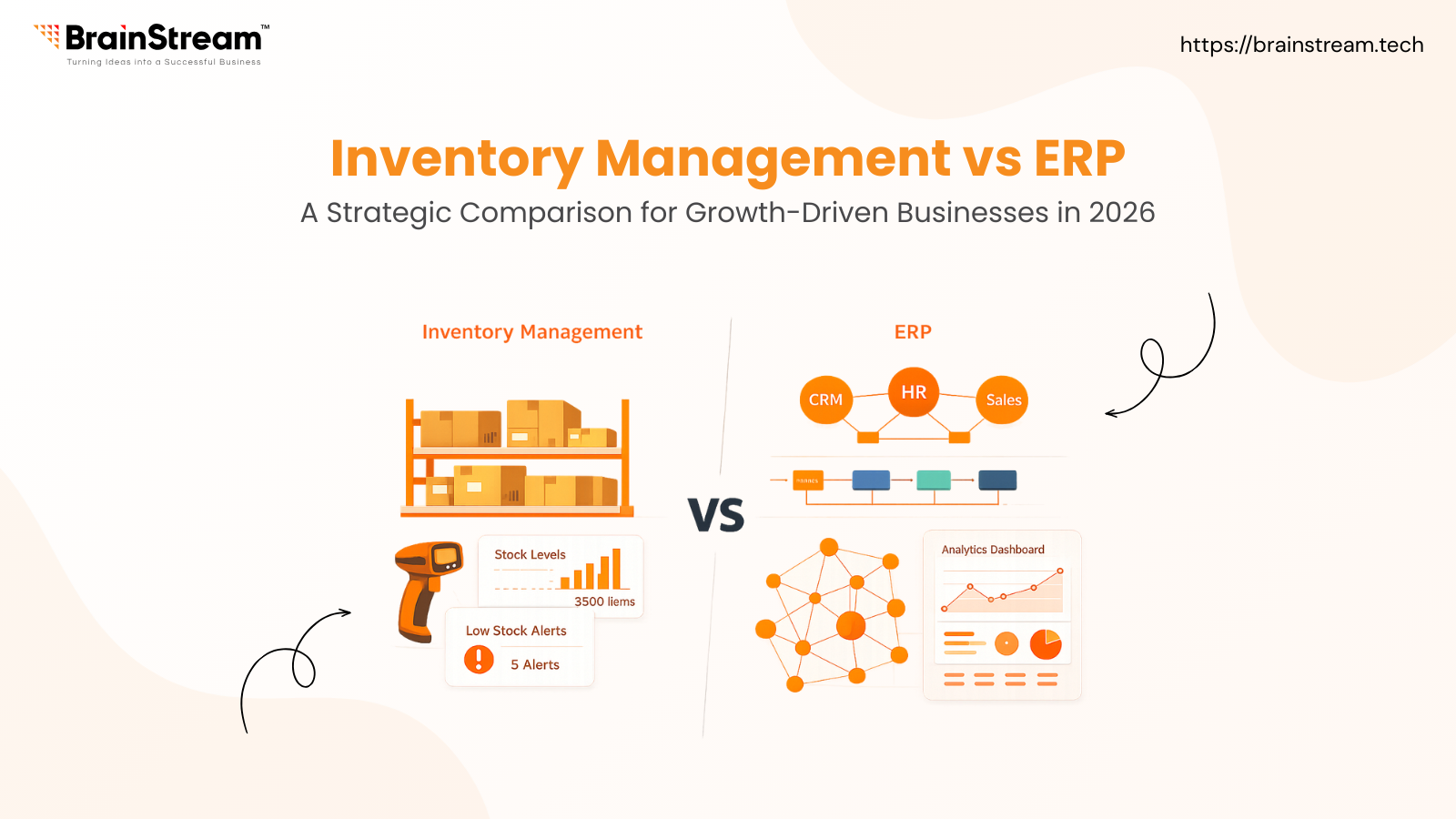
This isn’t just a technology choice, it’s a strategic turning point. Simple inventory software focuses on tracking products. ERP, on the other hand, connects inventory with finance, HR, sales, and analytics, giving leaders a single source of truth instead of fragmented data silos.
Choosing incorrectly can lead to wasted budgets, delayed growth, or costly system migrations later.
What Is Inventory Management Software?
Inventory management (often called WMS Warehouse Management System) is a tool built to answer basic operational questions:
- What stock do we have?
- What needs replenishing?
- What’s currently allocated versus available?
It focuses solely on the flow of products from purchase orders to dispatch without deep integration into other business areas.
This makes it great for straightforward retail, logistics, or small businesses with limited complexity.
What Is an ERP System?
Enterprise Resource Planning (ERP) goes beyond inventory; it unifies all core business functions:
- Inventory & supply chain
- Finance and accounting
- Human resources
- Customer data and sales pipelines
- Reporting and business intelligence
With real-time data shared across departments, ERP serves as the central nervous system of a business.
For companies with complex value chains, like manufacturing, international operations, or multi-channel retail, ERP is no longer optional.
Direct Comparison: Inventory Management vs ERP
Here’s how the two systems differ on the most important decision factors:
| Feature | Inventory Software (WMS) | ERP System |
| Scope | Tracks stock and warehouse operations | Company-wide resource planning |
| Finance Integration | Typically requires export to accounting software | Fully integrated (GL, P&L, COGS) |
| Customer Insights | Basic records | Deep CRM and sales analytics |
| Implementation Time | Weeks to several months | Many months to over a year |
| AI & Predictive Tools | Limited | Increasingly advanced |
| Ideal For | Lean operations | Complex enterprises |
This comparison shows that ERPs are far more than inventory tools, they are decision-making platforms.
Common Misconceptions (And the Truth Behind Them)
“ERP is just a big inventory tool.” – Wrong
Truth: Inventory tracking is part of ERP, but ERP’s real power lies in connecting inventory with finance, HR, CRM, and analytics.
“Only large companies need ERP.” – Wrong
Truth: Company size is not the real trigger; complexity is. A small global e-commerce brand with regulatory requirements might need ERP more than a mid-sized local seller.
“An ERP will solve every problem.” – Wrong
Truth: ERP magnifies existing processes. If your workflows are broken, implementing ERP fast just accelerates inefficiency. Good process design comes before software choice.
When to Switch from Inventory Software to ERP
Here are some concrete signals that it’s time for ERP, not just better inventory tools:
Multiple Sales Channels
If you’re juggling stock across online marketplaces, retail, and B2B, reconciling inventory across systems becomes error-prone. Simple tools can’t maintain real-time harmony.
Cross-Functional Reporting Needs
Accounting wants stock value on the balance sheet, marketing wants customer behaviour insights, and operations want supply forecasts, but you’re still dumping CSVs into Excel every month. That’s a red flag.
Regulatory or Traceability Requirements
Industries like food, pharma, or regulated manufacturing require batch tracking, compliance reporting, and audit trails. ERP handles these out of the box.
AI: The Next Frontier in Intelligent Resource Planning
Another major trend in 2026 is the integration of AI for forecasting, automation, and deep analytics. Inventory systems may offer simple restock alerts, but modern ERPs are embedding generative AI and predictive engines across workflows.
Examples include:
- AI-driven demand forecasting
- Automated anomaly detection in stock and finance
- Natural-language querying of business performance data
This turns ERP from a data repository into a strategic guidance engine, a capability that standalone systems can’t match.
Costs, Risks & Implementation Reality
ERP is powerful, but it also comes with challenges:
Longer Implementation
Unlike lightweight inventory software, ERP projects require:
- Detailed requirements gathering
- Change management
- Staff training
Expect many months before full adoption.
Higher Initial Investment
For mid-sized companies, ERP implementation costs (license + services) can exceed tens of thousands, but this must be weighed against the long-term operational value.
Productivity Dip During Transition
Initial productivity may fall as teams adapt to new processes, plan for this phase in your project timeline.
Conclusion: Think Strategically, Not Just Technically
Inventory software is a great foundation when your focus is purely on stock movements. However, if your business logic spans finance, customer experience, compliance, and growth planning, ERP is the only solution that gives you integrated control and strategic insight.
Before choosing, assess your complexity, growth aspirations, and data requirements and make sure the system you pick is future-ready (especially with AI).
FAQs
Q: Can inventory software grow into ERP?
A: Some cloud systems offer modules that approach ERP depth, but deep integration of finance, HR, and CRM usually requires true ERP.
Q: Which choice is better for small businesses?
A: Start simple if complexity is low, but evaluate ERP early if you’re scaling fast or entering new markets.
Q: Cloud or on-premise ERP – what should I choose?
A: Cloud (SaaS) is generally more scalable and cost-efficient in 2026; on-premise is usually reserved for extreme security requirements.

Manish Khilwani 

Co-Founder at BrainStream Technolabs, he focuses on building people-first, scalable eCommerce and digital products that help brands grow with clarity and innovation.
Share :




Keep up-to-date with our newsletter.
Sign up for our newsletter to receive weekly updates and news directly to your inbox.