
Trendify – Modern Multipurpose Shopware 6 Theme
Shopware
Trendify Shop Theme is a modern, responsive Shopware 6 theme with fast performance, SEO optimization, mobile-friendly design, and high-conversion UX for eCommerce stores.

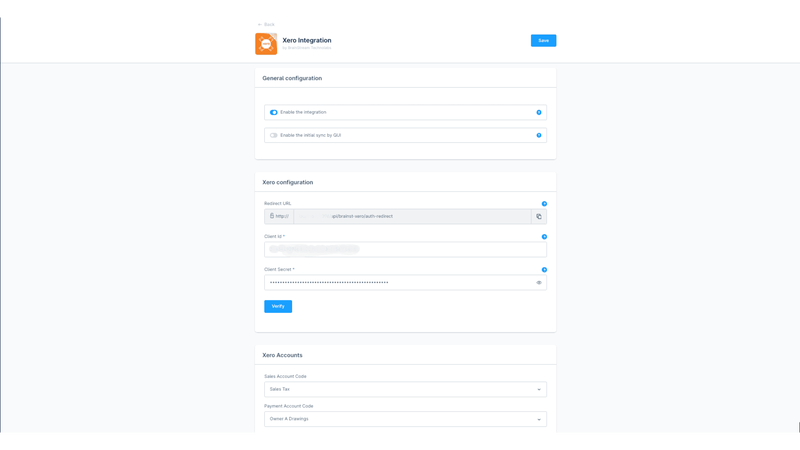
seamlessly connects your Shopware 6 store with Xero, one of the leading accounting software solutions. This integration automates the flow of financial data, ensuring that your store’s
This plugin will seamlessly integrate your Shopware store with Xero, the leading cloud-based accounting software.
Automate and streamline your financial management by synchronizing orders, products, customers, and invoices directly between Shopware and Xero. Save time, reduce errors, and gain real-time financial insights with this powerful integration.
1.0.0 (6.5.0.0 – 6.7.13.0)
28 January 2025
Notes:
Shopware
Trendify Shop Theme is a modern, responsive Shopware 6 theme with fast performance, SEO optimization, mobile-friendly design, and high-conversion UX for eCommerce stores.

Shopware
Extend Shopware’s “Assign to” dropdown to support property options — add custom fields directly to product properties. So you can user property option…

Shopware
Generate product FAQs automatically using AI. Improve customer experience, reduce support questions, and enrich product pages with relevant, high-quality answers in seconds.

Shopware
Effortlessly manage and approve or disapprove customer reviews in bulk with this powerful Shopware 6 plugin. Save time and ensure quick review moderation.
Tell us what you need for Xero Integration.

Turn Your
Ideas Into,
Digital Growth



Future-ready AI and software solutions built
around your business goals.
Trusted by Our Clients






Reviews
There are no reviews yet.