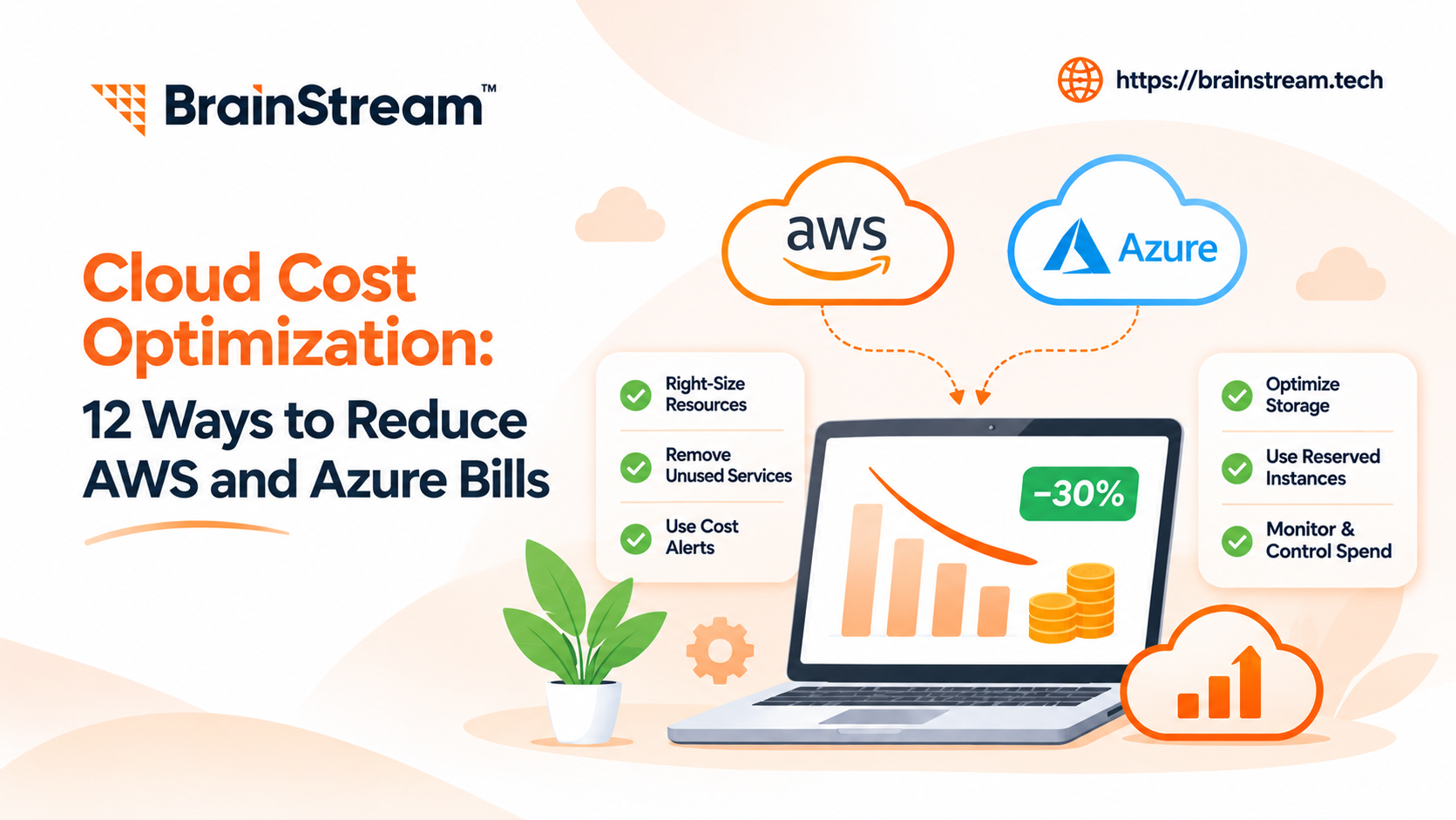
Cloud Cost Optimization: 12 Ways to Reduce AWS and Azure Bills
Cloud services help businesses grow without investing heavily in physical servers. However, cloud spending can rise faster than expected.
You may notice unused virtual machines, rising storage bills, or unexpected data transfer charges. Meanwhile, your monthly AWS or Azure invoice keeps increasing.
Cloud costs become harder to manage as applications and business requirements grow. Therefore, many businesses use professional Cloud Consulting Services to review their infrastructure, identify unnecessary spending, and improve resource efficiency.
The goal is not simply to spend less. Instead, it is to remove waste while maintaining performance, security, and reliability.
Whether you manage a SaaS platform, eCommerce website, or enterprise application, small improvements can make a difference.
In this guide, we explain 12 practical ways to reduce AWS and Azure costs. You’ll also learn which tools to use and when cloud consulting services can help.
What Is Cloud Cost Optimization?
Cloud cost optimization is the process of reducing unnecessary cloud expenses while maintaining the performance, security, and availability your business needs.
It involves understanding where money goes, identifying waste, and improving how cloud resources operate.
For example, your company might pay for a large virtual machine that uses very little processing power.
By selecting a smaller instance, you could reduce costs without affecting users.
However, every change should be tested before reaching production.
Why Is Cloud Cost Optimization Important?
Cloud platforms make it easy to add resources. However, they also make it easy to leave unused services running.
Over time, these costs can become difficult to manage.
A good optimization strategy helps businesses:
- Control monthly cloud spending
- Reduce unused infrastructure
- Improve resource efficiency
- Forecast future expenses
- Support application growth
- Maintain reliable performance
Additionally, cost visibility helps technical and finance teams make better decisions.
Why Are Your AWS and Azure Bills Increasing?
Before reducing cloud costs, you need to understand why spending is growing.
Unexpected costs can also begin during cloud migration. For example, businesses may move applications without reviewing resource usage or future demand. A clear cloud migration strategy helps teams plan infrastructure, control expenses, and avoid common migration mistakes.
Several common problems affect businesses using AWS and Azure.
Overprovisioned Cloud Resources
Some companies select large virtual machines to prepare for future demand.
However, actual workloads may use only a small portion of those resources.
As a result, businesses pay for capacity they do not need.
Unused Development Environments
Testing and staging servers often run even when developers are not using them.
For example, a development environment might remain active throughout weekends.
Therefore, unnecessary operating hours increase the monthly bill.
Growing Storage and Backup Costs
Applications generate logs, backups, and historical records.
Over time, this information consumes more storage.
Additionally, old snapshots and duplicate backups may remain after they are no longer required.
Unexpected Network Charges
Cloud providers charge for certain types of data movement.
For example, transferring data between regions or sending large volumes outside the cloud can increase costs.
Therefore, network architecture deserves attention during cost reviews.
12 Ways to Reduce AWS and Azure Bills
The following strategies can help businesses improve cloud efficiency.
However, the best savings opportunities depend on your infrastructure and actual usage.
1. Right-Size Your Cloud Instances
Right-sizing means choosing resources that match your application’s real requirements.
For example, you may have an EC2 instance with consistently low CPU usage.
Instead of paying for unused capacity, you can evaluate a smaller instance type.
On AWS, Compute Optimizer provides recommendations using resource performance data.
Meanwhile, Azure Advisor identifies opportunities to resize underused virtual machines.
Before making changes, review CPU, memory, network activity, and peak demand.
Practical tip: Measure performance during busy periods, not only during quiet hours.
Right-sizing can also create measurable business value. In BrainStream Technolabs’ AWS infrastructure optimization case study, the team reports approximately 60% lower monthly AWS infrastructure costs after improving resource utilization, scaling, and monitoring. However, actual savings depend on each application’s workload.
2. Turn Off Idle Resources
Unused cloud resources can increase spending without providing business value.
For example, development servers may remain active overnight.
Therefore, review which environments actually need continuous availability.
Consider scheduling non-production resources to stop outside working hours.
On AWS, automation tools can manage scheduled instance operations.
Similarly, Azure automation features can help manage virtual machine schedules.
However, do not automatically stop production systems without checking dependencies.
Practical tip: Start with test, staging, and temporary development environments.
3. Use AWS Savings Plans and Azure Reservations
Businesses with predictable workloads may benefit from commitment-based pricing.
AWS Savings Plans provide discounts on eligible usage in exchange for a spending commitment.
Azure offers reservations and savings plans for eligible services.
However, these options work differently and have specific conditions.
For example, a stable production workload may suit a reservation.
Meanwhile, changing compute requirements may benefit from a more flexible savings plan.
Before purchasing, analyze historical usage and future requirements.
Practical tip: Right-size resources before making long-term commitments.
4. Enable Auto Scaling
Traffic rarely stays the same throughout the day.
For example, an eCommerce website may experience heavy traffic during seasonal promotions.
However, demand may fall considerably afterward.
Auto scaling adjusts available computing capacity based on configured conditions.
AWS Auto Scaling and Azure Virtual Machine Scale Sets can support this approach.
As a result, applications can use more resources when required and fewer during quiet periods.
However, scaling rules need careful configuration.
Practical tip: Review minimum capacity, scaling thresholds, and application response times.
5. Optimize Cloud Storage
Not all business data needs expensive, high-performance storage.
For example, frequently accessed files may need fast access.
Meanwhile, older documents may rarely be opened.
AWS S3 offers storage classes for different access patterns.
Similarly, Azure Blob Storage provides storage tiers.
Therefore, businesses can move suitable data into lower-cost storage options.
However, retrieval charges, minimum retention periods, and access requirements matter.
Practical tip: Create lifecycle policies based on actual data usage and retention needs.
6. Review Database Costs
Managed databases simplify maintenance. However, they can become expensive when resources are oversized.
For example, an application might use a database instance designed for much higher traffic.
Start by reviewing CPU usage, memory pressure, query performance, and storage.
Next, investigate slow queries and unnecessary database activity.
Additionally, evaluate suitable pricing options and database configurations.
However, reducing database capacity without testing can create performance problems.
Practical tip: Optimize inefficient queries before purchasing more database resources.
More Cloud Cost Optimization Strategies
The next six methods focus on monitoring, networking, application architecture, and long-term financial control.
7. Reduce Data Transfer Charges
Data transfer costs are easy to overlook.
For example, an application might repeatedly move large datasets between cloud regions.
Additionally, sending content directly from application servers can increase network usage.
Review your architecture to identify unnecessary transfers.
Where suitable, use content delivery networks and caching.
AWS CloudFront and Azure Front Door can help deliver content closer to users.
However, these services also have their own pricing.
Practical tip: Compare total delivery costs before changing your network architecture.
8. Use Serverless Services Where Suitable
Traditional servers may run continuously, even when an application receives few requests.
Serverless services offer another approach.
For example, AWS Lambda and Azure Functions can run code in response to events.
Depending on the pricing model, businesses may pay based on usage rather than maintaining dedicated servers.
This can work well for irregular tasks.
However, high-volume workloads may be more economical using other compute options.
Practical tip: Compare request volume, execution time, memory needs, and operational costs.
9. Monitor Spending With Cloud Cost Tools
You cannot manage cloud spending effectively without accurate information.
AWS Cost Explorer helps businesses review spending patterns and forecast costs.
Additionally, AWS Cost Optimization Hub brings several savings recommendations into one place.
On Azure, Cost Management and Azure Advisor provide spending insights and optimization recommendations.
Review these tools regularly to identify unusual changes.
For example, a sudden increase in database spending may indicate a configuration or usage problem.
Practical tip: Create a monthly review for the highest-cost services.
10. Set Budgets and Cost Alerts
Unexpected cloud bills often happen because spending changes go unnoticed.
Therefore, create budgets for important applications and departments.
AWS Budgets and Azure Cost Management budgets can notify teams when spending reaches configured thresholds.
For example, a company might set an alert at 80% of its expected monthly budget.
However, alerts do not automatically prevent every additional charge.
They provide an opportunity to investigate and respond.
Practical tip: Assign responsibility for reviewing alerts and taking action.
11. Use Resource Tags for Cost Tracking
Growing businesses often share cloud infrastructure across several teams.
Without clear ownership, identifying unnecessary resources becomes difficult.
Resource tags can help organize spending by application, environment, department, or project.
For example, you might tag resources using:
- Project name
- Environment
- Department
- Cost center
- Resource owner
Additionally, AWS and Azure provide options for organizing and allocating costs.
Therefore, finance and engineering teams can better understand where spending occurs.
Practical tip: Apply consistent tagging rules to new resources.
12. Review and Optimize Cloud Costs Regularly
Cloud cost optimization is not a one-time project.
As applications grow, resource requirements change.
For example, a database that was correctly sized last year may now need adjustment.
Meanwhile, old test environments may no longer serve a purpose.
Therefore, schedule regular cost and performance reviews.
Track changes, compare results, and update optimization plans.
Additionally, involve finance, development, and infrastructure teams.
Practical tip: Review cloud costs monthly and after major application deployments.
What Are Shopify Webhooks?
Shopify webhooks allow applications to receive notifications when supported store activities occur.
AWS vs Azure: Cloud Cost Optimization Tools
Both platforms provide useful tools for identifying and managing unnecessary spending.
However, their features, eligibility rules, and recommendations differ.
| Optimization Need | AWS Tools | Azure Tools |
|---|---|---|
| Cost analysis | AWS Cost Explorer | Azure Cost Management |
| Resource recommendations | AWS Compute Optimizer | Azure Advisor |
| Consolidated optimization insights | AWS Cost Optimization Hub | Azure Cost Optimization Workbook |
| Budget monitoring | AWS Budgets | Azure Budgets |
| Commitment discounts | Savings Plans and Reserved Instances | Savings Plans and Reservations |
| Scaling | AWS Auto Scaling | Azure Autoscale |
| Storage optimization | S3 storage classes | Azure Blob Storage tiers |
Which Cloud Provider Is Cheaper?
Neither AWS nor Azure is always cheaper.
The final cost depends on instance types, regions, operating systems, usage patterns, and pricing agreements.
For example, an Azure workload may benefit from eligible Microsoft licensing arrangements.
Meanwhile, an AWS workload may benefit from suitable instance selection or existing commitments.
Therefore, compare total workload costs instead of individual service prices.
How Much Can Cloud Cost Optimization Save?
There is no guaranteed savings percentage.
Actual savings depend on your existing resource usage and infrastructure.
For example, consider a business spending $12,000 monthly on cloud services.
After reviewing its environment, the team identifies several possible improvements.
| Optimization Opportunity | Illustrative Monthly Savings |
|---|---|
| Right-sizing resources | $500 |
| Removing idle services | $300 |
| Storage optimization | $150 |
| Network improvements | $100 |
| Total potential savings | $1,050 |
In this hypothetical example, the business could reduce monthly spending from $12,000 to $10,950.
That represents $12,600 in annual savings if monthly costs remain consistent.
However, these figures are illustrative, not typical results or a Brainstream client case study.
Also, avoid adding overlapping discount estimates. For example, right-sizing can change the value of reservation recommendations.
Common Cloud Cost Optimization Mistakes
Older applications can also increase infrastructure costs when they depend on outdated architecture.
Therefore, businesses should evaluate legacy application modernization alongside cloud optimization. Improving the application itself may reduce unnecessary resource usage and support future scalability.
Reducing costs without a clear plan can create new problems.
Therefore, businesses should avoid several common mistakes.
Cutting Resources Without Performance Testing
A smaller server may cost less, but it could struggle under peak demand.
Instead, test performance before making production changes.
Buying Commitments Too Early
Reservations and savings plans can reduce eligible usage costs.
However, unused commitments can limit expected savings.
Therefore, review usage patterns and right-size resources first.
Ignoring Security and Reliability
Removing resources may lower costs temporarily.
However, businesses still need backups, monitoring, and suitable recovery options.
Security and reliability should remain part of every optimization decision.
Focusing Only on Monthly Bills
A lower infrastructure bill does not always mean better business value.
For example, slower applications can hurt the customer experience.
Therefore, compare cloud spending with performance and business outcomes.
Cloud Cost Optimization Checklist
Use this checklist to guide your next cloud cost review.
| Task | Priority |
|---|---|
| Review AWS and Azure spending | High |
| Identify idle resources | High |
| Right-size underused instances | High |
| Check storage and backups | High |
| Review reservation coverage | High |
| Configure budgets and alerts | High |
| Analyze data transfer charges | Medium |
| Review database performance | High |
| Evaluate scaling rules | Medium |
| Apply resource tags | Medium |
| Assign cost ownership | High |
| Schedule monthly reviews | High |
Where Should You Start?
First, identify the services responsible for the largest costs.
Next, investigate idle or oversized resources.
Then, review pricing commitments and storage options.
Finally, monitor performance after implementing changes.
This approach helps reduce waste without unnecessary risks.
When Should You Hire a Cloud Consulting Company?
Some businesses can manage cloud costs internally.
However, complex environments may require specialist support.
A cloud consulting company can help teams review infrastructure, identify cost drivers, and plan improvements.
When Your Cloud Bills Keep Increasing
If spending rises without a clear reason, a detailed assessment can help.
For example, consultants can review usage patterns and resource configurations.
When Your Team Lacks Cloud Expertise
Smaller teams may not have dedicated cloud engineers.
Therefore, external support can help with architecture reviews and optimization planning.
When You Manage Multiple Cloud Services
Businesses using several cloud services may struggle with cost visibility.
Additionally, different departments may manage resources independently.
A structured review can help identify gaps in ownership and monitoring.
When You Need Cost and Performance Improvements
The goal should not be to reduce spending at any cost.
Instead, optimization should balance cost, security, reliability, and performance.
Experienced cloud consultants can help evaluate these trade-offs.
How Brainstream Technolabs Can Help With Cloud Cost Optimization
Managing cloud spending requires both technical knowledge and ongoing attention.
Brainstream Technolabs provides cloud consulting services for businesses using AWS, Azure, and Google Cloud.
Our cloud services cover infrastructure planning, modernization, optimization, and monitoring.
Cloud Infrastructure Assessment
The first step is understanding your existing environment.
Depending on your requirements, our team can help review resource usage, architecture, and opportunities for improvement.
AWS and Azure Optimization
Cloud platforms offer different pricing models and infrastructure options.
Therefore, selecting suitable resources and configurations is important.
Our cloud consulting capabilities include infrastructure optimization and management.
Cloud Migration and Modernization
Older applications may use infrastructure that no longer fits business needs.
For example, modernization may involve changing hosting architecture or improving application deployment.
A clear plan helps align infrastructure with performance and business goals.
Ongoing Cloud Management
Cloud costs continue changing after deployment.
Therefore, monitoring and regular reviews remain important.
Our cloud consulting services focus on operational efficiency, scalability, and reliable infrastructure management.
Need Help Reducing AWS or Azure Costs?
You may not need a complete cloud rebuild to improve cost efficiency.
Instead, start by understanding your biggest cost drivers.
Explore Brainstream Technolabs’ Cloud Consulting Services or contact our team to discuss your infrastructure and optimization goals.
Frequently Asked Questions
1. What is cloud cost optimization?
Cloud cost optimization means reducing unnecessary cloud expenses while maintaining required performance, security, and reliability. It includes right-sizing resources, removing waste, and improving cost monitoring.
2. How can I reduce my AWS bill?
Start by reviewing AWS Cost Explorer and Cost Optimization Hub. Next, identify idle resources, right-size EC2 instances, optimize storage, and review eligible Savings Plans.
3. How can I lower my Azure costs?
Use Azure Cost Management and Azure Advisor to review spending. Additionally, consider right-sizing virtual machines, removing idle resources, and evaluating eligible reservations or savings plans.
4. What are the best cloud cost optimization tools?
AWS Cost Explorer, AWS Compute Optimizer, AWS Cost Optimization Hub, Azure Cost Management, and Azure Advisor are useful options. The best combination depends on your infrastructure.
5. Can cloud cost optimization affect application performance?
Yes, poorly planned changes can reduce performance. Therefore, test resource adjustments and monitor important application metrics before and after optimization.
6. Are AWS Savings Plans worth it?
They can provide value for suitable, predictable usage. However, businesses should evaluate commitment terms, eligible services, and expected demand before purchasing.
7. What is the difference between AWS Savings Plans and Azure Reservations?
AWS Savings Plans provide discounts on eligible usage through spending commitments. Azure Reservations offer discounts for specific eligible resource commitments. Their coverage and terms differ.
8. How often should businesses review cloud costs?
A monthly review is a useful starting point. However, businesses with changing workloads may need more frequent monitoring and automated alerts.
9. What does a cloud consulting company do?
A cloud consulting company helps businesses plan, improve, migrate, and manage cloud infrastructure. Services may include architecture reviews, security planning, cost optimization, and monitoring.
10. Do small businesses need cloud consulting services?
Not every small business needs external support. However, consulting can help when cloud spending grows, technical expertise is limited, or infrastructure becomes complex.
Conclusion
Cloud cost optimization helps businesses reduce unnecessary spending without sacrificing essential performance.
Whether you use AWS or Azure, start by understanding your actual cloud usage.
Right-sizing resources, removing idle services, optimizing storage, and reviewing pricing commitments can create useful opportunities.
Additionally, regular monitoring helps businesses manage costs as their applications grow.
However, successful optimization requires more than reducing server capacity.
It involves balancing cost, security, performance, and long-term business needs.
If your organization needs support, working with a cloud consulting company can help you plan improvements with greater confidence.
Ready to take control of your cloud spending?
Explore Brainstream Technolabs’ cloud consulting services and discuss your AWS or Azure requirements with our team.
Need Help Reducing Your AWS or Azure Costs?
Cloud optimization starts with understanding where your money goes. BrainStream Technolabs provides cloud consulting services to help businesses assess infrastructure, improve resource efficiency, and plan scalable solutions.

Manish Khilwani
Author
Co-Founder at BrainStream Technolabs, he focuses on building people-first, scalable eCommerce and digital products that help brands grow with clarity and innovation.
Table of contents
BLOGS
Learn & Grow with Us
Get the latest updates on trends and strategies that shape the business world. Our insights are here to keep you informed and inspired.

2026 Generative AI Playbook: A Strategic Guide for Business Leaders
The digital landscape has officially crossed a Rubicon. If 2023…

Agentic Commerce in 2026: How AI Agents Are Changing Online Shopping
Agentic commerce is online shopping where AI agents discover, compare,…
AI Advisory & Roadmap Services: How Businesses Build Smarter AI Strategies?
Artificial intelligence is changing how businesses operate. However, many companies…

AI Chatbots in Healthcare: Benefits and Use Cases That Are Transforming Patient Care
AI Chatbots in Healthcare are changing faster than ever. Patients…