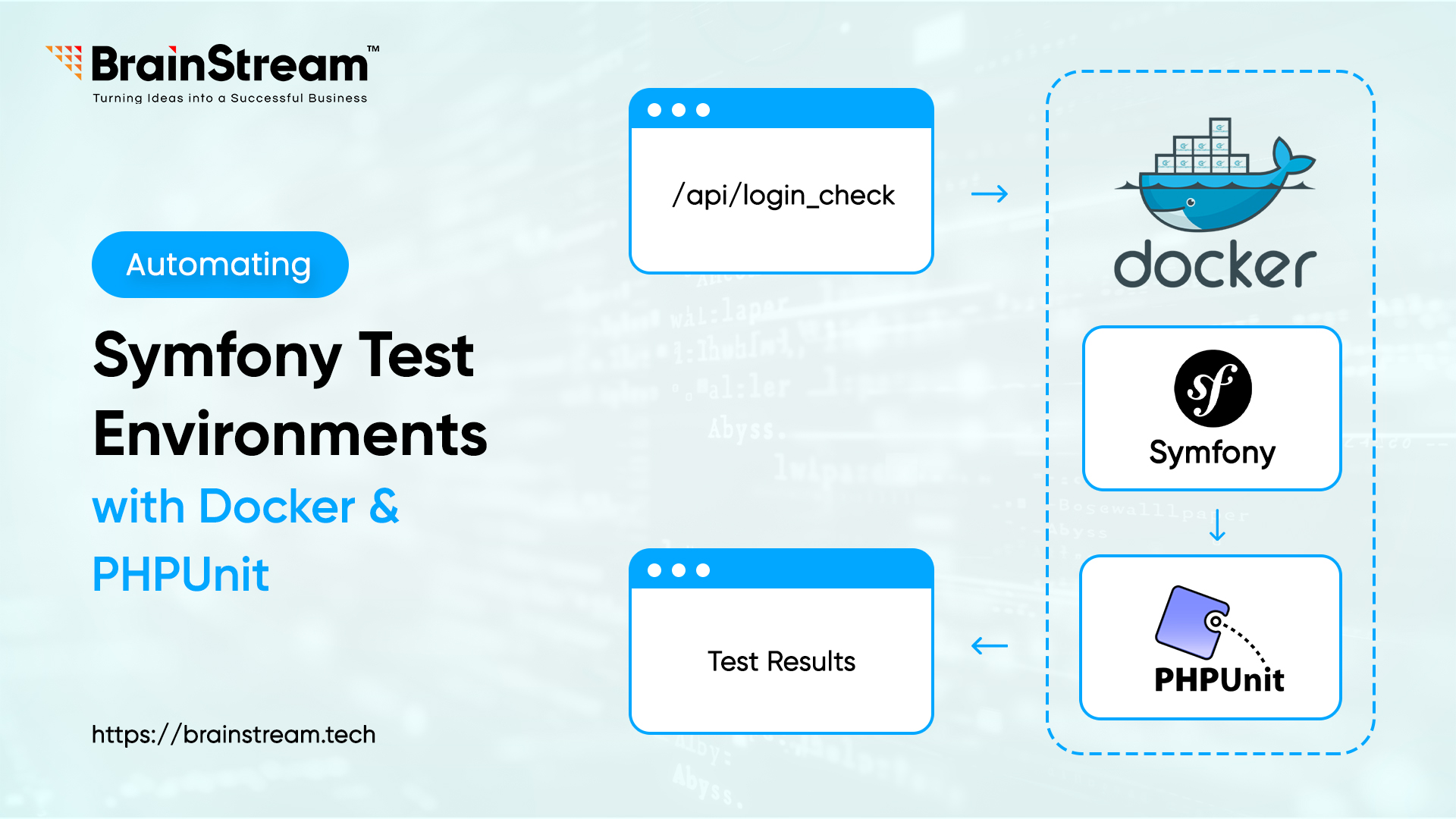
Automating Symfony Test Environments with Docker and PHPUnit
Testing and setting Symfony API applications may be awfully challenging to control in case different environments set up with manual management, and it takes a lot of time to establish databases and set up configuration again. Docket proposes a solution by containerizing the test environment; which has consistency and is therefore time saving. This guide takes you through how to set up automation of your Symfony tests using Docker and Phpunit.
Prerequisites
- Docker and Docker Compose are installed on your system.
- Familiarity with Symfony CLI, basic unit test cases with PHPUnit.
- A Symfony 7.2 project with API endpoints and test cases.
Step 1: Project Structure and Docker Setup
Set up your project directory (e.g., ~/workspace/brainstreamsymfony7api) and initialize a Symfony project with some test cases if you have not already done that.
cd brainstreamsymfony7api
# Create a Dockerfile for the PHP service
FROM php:8.4.7-fpm
RUN apt-get update && apt-get install -y \
    libpng-dev \
    libzip-dev \
    && docker-php-ext-install pdo_mysql zip
COPY . /var/www/symfony
WORKDIR /var/www/symfony
RUN curl -sS https://getcomposer.org/installer | php -- --install-dir=/usr/local/bin --filename=composer
RUN composer install
# Define services in docker-compose.yml
version: '3.8'
services:
  php:
    build:
      context: .
      dockerfile: Dockerfile
    volumes:
      - .:/var/www/symfony
    depends_on:
      - db
  db:
    image: mysql:8.0.42
    environment:
      MYSQL_ROOT_PASSWORD: bst1
      MYSQL_DATABASE: symfony7_api_demo_test
    ports:
      - "3307:3306"
    expose:
      - "3306"
Note: The expose: – “3306” in above ensures the internal port is accessible to the PHP container.
Step 2: Configure PHPUnit
# Update phpunit.xml in the project root
<?xml version="1.0" encoding="UTF-8"?>
<phpunit xmlns:xsi="http://www.w3.org/2001/XMLSchema-instance"
         xsi:noNamespaceSchemaLocation="vendor/phpunit/phpunit/phpunit.xsd"
         backupGlobals="false"
         colors="true"
         failOnNotice="true"
         failOnWarning="true"
         bootstrap="tests/bootstrap.php"
         cacheDirectory=".phpunit.cache"
>
    <php>
        <ini name="display_errors" value="1" />
        <ini name="error_reporting" value="-1" />
        <server name="APP_ENV" value="test" force="true" />
        <env name="DATABASE_URL" value="mysql://root:bst1@db:3306/symfony7_api_demo_test" />
    </php>
    <testsuites>
        <testsuite name="Unit">
            <directory>tests/Unit</directory>
        </testsuite>
        <testsuite name="Functional">
            <directory>tests/Functional</directory>
        </testsuite>
    </testsuites>
    <source ignoreSuppressionOfDeprecations="true" restrictNotices="true" restrictWarnings="true">
        <include>
            <directory>src</directory>
        </include>
    </source>
    <extensions>
        <bootstrap class="Symfony\Bridge\PhpUnit\SymfonyExtension">
            <parameter name="clock-mock-namespaces" value="App" />
            <parameter name="dns-mock-namespaces" value="App" />
        </bootstrap>
    </extensions>
</phpunit>
# Create tests/bootstrap.php if absent:
require dirname(-DIR-).'/vendor/autoload.php';
Step 3: Automate with a Shell Script
# Create run-tests.sh to automate the workflow
#!/bin/bash
docker-compose down
docker-compose up -d --build
sleep 15
docker-compose exec db mysql -u root -pbst1 -e "CREATE DATABASE IF NOT EXISTS symfony7_api_demo_test" || { echo "Database creation failed"; exit 1; }
docker-compose exec php composer install
docker-compose exec php vendor/bin/phpunit
Step 4: Add Test Fixtures
# Add a fixture class (e.g., src/DataFixtures/AppFixtures.php)
<?php

namespace App\DataFixtures;

use Doctrine\Bundle\FixturesBundle\Fixture;
use Doctrine\Persistence\ObjectManager;
use App\Entity\User;

class AppFixtures extends Fixture
{
    public function load(ObjectManager $manager): void
    {
        $user = new User();
        $user->setEmail('jane@example.com');
        $user->setPassword('$2y$13$...'); // Hashed password
        $user->setRoles(['ROLE_USER']);
        $manager->persist($user);
        $manager->flush();
    }
}
Install the fixture bundle if it has not already been installed.
docker-compose exec php composer require– dev orm-fixtures
Step 5: Run and Verify
Execute ./run-tests.sh. You should see:
- Container build and startup logs.
- Database creation success.
- Fixture loading and PHPUnit results.
Why Automate with Docker?
Diverse versions of PHP, mismatched databases, or absent extensions may become impediments that can spoil your work, as they happen frequently because of the manual setting of the test environment, including the test itself. This is solved with Docker containers, which encompass all PHP, MySQL, & Symfony into a repeatable subsistence.
In the Symfony 7.2 project, the process of moving between my local and test databases was a nightmare until I got to embrace Docker. It removes the test environment setup, performance test interferences that occur during operation and increases the rapid production of an identical test. That can be easily accomplished by integrating it with PHPUnit, which will help to run tests in this controlled environment automatically and is even recommended to be used in CI/CD pipelines.
Conclusion
This guide automates your Symfony API test environment with Docker, PHPUnit, and automatically conquers issues such as connections to the database and loading of fixtures. The isolation and portability of Docker were priceless, establishing a path for future growth. To keep a good testing practice, use run ./run-tests.sh regularly to maintain the testing workflow.


Anand Dattani
Author
Anand Dattani is a Senior Developer at BrainStream Technolabs. He is an experienced developer specializing in PHP and modern MVC frameworks, with expertise in backend architecture and building scalable web solutions.
Table of contents
BLOGS
Learn & Grow with Us
Get the latest updates on trends and strategies that shape the business world. Our insights are here to keep you informed and inspired.
How Much Does AI Integration into a Symfony Application Cost in 2026?
Adding artificial intelligence to your Symfony application can improve customer…
Modernizing Legacy Symfony Applications with AI: Where to Start
Your Symfony application still runs your business. However, adding features…

Agentic Commerce in 2026: How AI Agents Are Changing Online Shopping
Online shopping is entering a new phase. For years, shoppers…

Top 7 Must-Have Bagisto Extensions to Improve Your eCommerce Store in 2026
Running an online store takes more than adding products and…