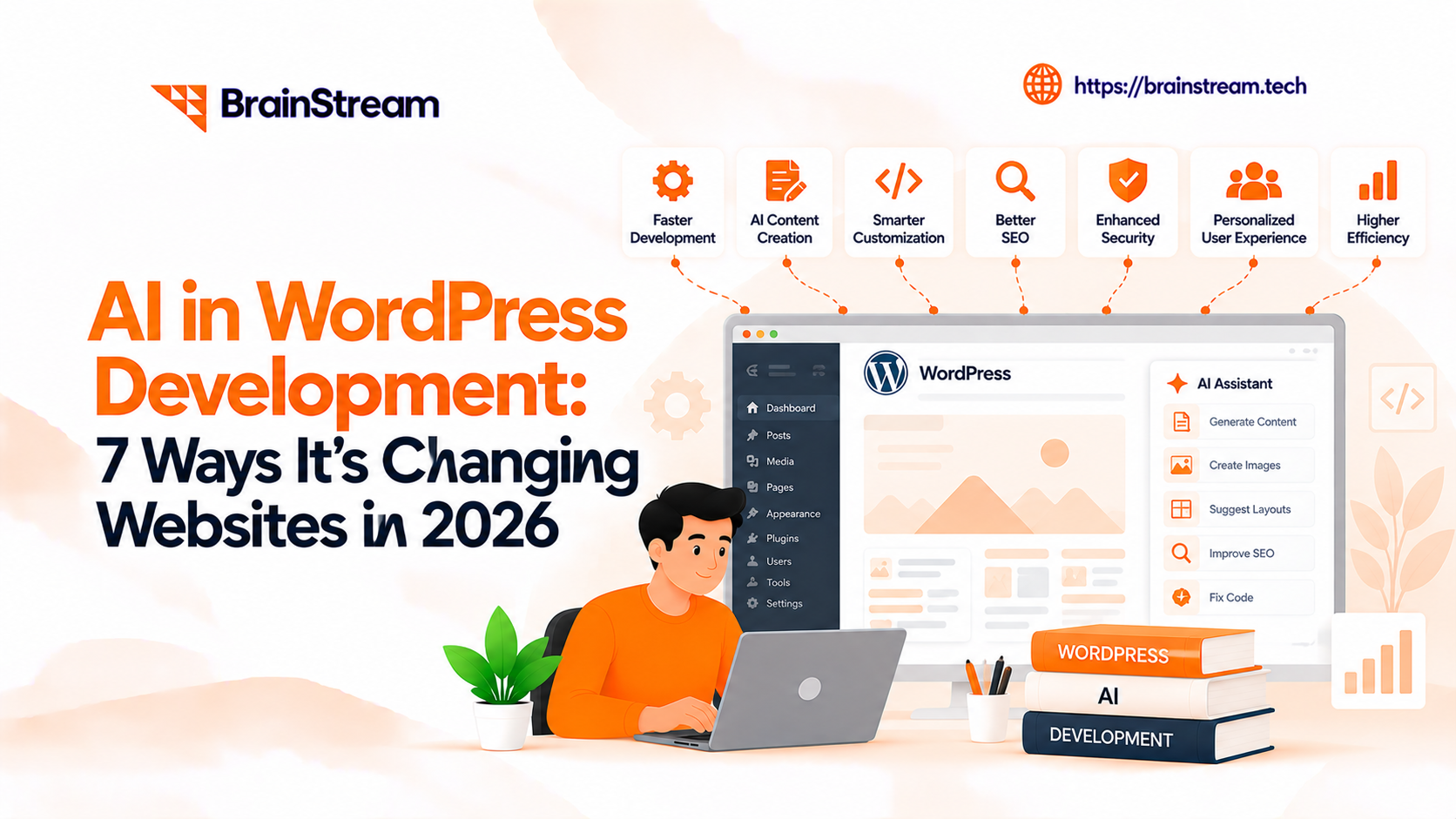
AI in WordPress Development: 7 Ways It’s Changing Websites in 2026
AI in WordPress development helps developers generate layouts, draft content, optimize SEO, support automated testing, identify performance problems, and monitor security risks. These tools can reduce repetitive work and speed up selected development tasks when implemented and reviewed correctly.
However, AI does not replace professional WordPress developers. Developers still manage website strategy, custom code, integrations, security, accessibility, and quality assurance.
For businesses, the benefit is a more efficient development process that combines automation with human expertise. AI-powered tools can also help teams maintain content, evaluate website performance, and improve customer experiences.
This guide explains seven practical ways to use AI in WordPress development, the risks businesses should consider, and how to implement AI features on an existing website.
The Evolution of WordPress Development
Traditionally, WordPress development involved:
- Manual theme customization
- Plugin-heavy functionality
- Time-consuming testing and optimization
While effective, this approach often required significant effort and ongoing maintenance.
In 2026, AI has introduced a new layer of intelligence:
- Automated design generation
- Smart content creation
- Predictive performance optimization
- Advanced user behavior analysis
This evolution is not replacing developers; it’s enhancing their capabilities.
1. AI-Powered Website Design and Development

AI tools can now generate complete website layouts based on minimal input. Instead of starting from scratch, developers can:
- Input business type and goals
- Receive ready-to-use layouts
- Customize designs instantly
This significantly reduces development time while maintaining quality.
What this means for businesses:
- Faster project delivery
- Lower development costs
- More design experimentation
AI-assisted website builders such as Elementor AI and Divi AI can help generate initial layouts, page copy, and design elements. These outputs give developers a starting point, but they still require review for responsiveness, accessibility, performance, and brand consistency.
Practical example: A service business launching a WordPress website can use AI-generated layout suggestions and then work with developers to customize reusable sections, connect enquiry forms, and optimize mobile layouts.
2. AI for WordPress SEO and Content Creation

Content is still king, but AI is now the strategist behind it.
Modern WordPress setups use AI to:
- Generate blog drafts
- Suggest SEO keywords
- Optimize meta tags
- Improve readability
Instead of guessing what works, AI analyzes search trends and user intent in real time.
Impact:
- Faster content production
- Better SEO performance
- Data-driven decisions
AI writing assistants and SEO tools can support content planning, draft generation, readability improvements, and metadata suggestions. WordPress website owners can combine these tools with SEO plugins such as Yoast SEO to review titles, descriptions, and on-page optimization.
However, AI-generated content requires fact-checking and editorial review. AI does not automatically improve Google rankings.
Practical example: A business can use AI to prepare a service-page outline, then refine it using real customer questions, verified company expertise, and search intent.
For a broader explanation, explore how AI is changing SEO.
3. Smart Personalization and User Experience

AI allows WordPress websites to adapt to each visitor.
Examples include:
- Personalized product recommendations
- Dynamic content based on user behavior
- Location-based customization
This level of personalization was previously limited to large-scale platforms, but AI makes it accessible to all businesses.
Result:
- Higher engagement
- Improved conversion rates
- Better customer experience
AI-based personalization can help WordPress and WooCommerce websites recommend relevant products, organize content, and adapt selected experiences based on available visitor information.
For example, a WooCommerce store could recommend complementary products using purchase history or product categories. The implementation should consider consent requirements, data quality, and the risk of displaying irrelevant recommendations.
Practical example: An online retailer can test personalized product recommendations against standard recommendations and measure changes in clicks, cart additions, and conversions.
4. AI Chatbots and Customer Support Automation

Customer support has become smarter with AI-powered chatbots.
These bots can:
- Answer queries instantly
- Guide users through services
- Capture leads automatically
Unlike traditional forms, AI chatbots engage users in real-time conversations.
Business advantage:
- 24/7 support
- Reduced workload
- Increased lead generation
Beyond website chatbots, businesses are also exploring ChatGPT as an operating layer that connects conversations with customer information, internal software, and authorized workflows.
AI chatbots can assist WordPress visitors with common questions, service information, lead capture, and basic support requests. Depending on the solution, developers may connect a chatbot to approved website content, a knowledge base, or a CRM.
A customer support chatbot should also provide a clear way to reach a human when it cannot resolve a request.
Practical example: A professional services website could use a chatbot to explain services, collect project requirements, and route qualified enquiries to the sales team.
Not sure which approach fits your website? Read our comparison of a custom AI chatbot vs ready-made chatbot.
5. Automated Testing and Performance Optimization

AI can continuously monitor and optimize WordPress websites.
It helps in:
- Detecting bugs automatically
- Improving page speed
- Optimizing Core Web Vitals
- Predicting performance issues
Why it matters:
Performance directly impacts SEO and user experience, and AI ensures your website stays optimized without constant manual effort.
AI coding assistants can help developers create test cases, review errors, and identify possible code improvements. Tools such as Lighthouse and PageSpeed Insights provide performance measurements that developers can use to prioritize optimization work.
AI recommendations must be tested before deployment because automated code changes can introduce functionality or compatibility problems.
Practical example: A development team can investigate a slow WordPress page, identify oversized images or blocking scripts, implement fixes in staging, and compare Core Web Vitals before and after the changes.
6. AI-Powered Security Enhancements

Security is a major concern for WordPress websites, and AI is making it stronger.
AI systems can:
- Detect unusual activity
- Prevent attacks in real-time
- Identify vulnerabilities before exploitation
Benefit:
- Stronger protection
- Reduced risk of data breaches
- Improved trust
WordPress security tools such as Wordfence can help monitor suspicious activity, malware indicators, and potential threats. AI-assisted analysis may also help developers review logs or prioritize security findings.
However, AI should complement established safeguards such as software updates, access controls, backups, firewalls, and vulnerability management.
Practical example: A business website can review suspicious login patterns, enforce stronger authentication, and investigate unexpected file changes before they become larger security incidents.
7. Smarter Decision-Making with AI Analytics

AI doesn’t just collect data, it interprets it.
With AI analytics, businesses can:
- Understand user behavior
- Predict trends
- Improve marketing strategies
Outcome:
- Better ROI
- Data-driven growth
- Continuous improvement
AI-assisted analytics can help teams identify patterns in website traffic, user journeys, and conversion performance. Google Analytics 4 provides reporting capabilities that businesses can use alongside AI-based analysis.
AI-generated insights should be checked against actual analytics data before making business decisions.
Practical example: A business can analyze which WordPress landing pages generate qualified enquiries, compare desktop and mobile conversion rates, and prioritize improvements based on measurable outcomes.
How to Add AI to an Existing WordPress Site (Step by Step)
You do not need to rebuild your WordPress website to start using AI. Most businesses can begin with one feature and expand after testing its value.
Step 1: Identify Your Business Goal
Decide what you want AI to improve. Common goals include reducing repetitive customer support work, improving content production, organizing leads, and identifying website performance problems.
For example, a service company may want to answer common customer questions automatically while keeping complex enquiries with its sales team.
Step 2: Choose the Right AI Tools
Evaluate WordPress-compatible tools based on functionality, integration options, data privacy, ongoing cost, and maintenance requirements.
A ready-made plugin may be suitable for basic functionality. Custom development may be needed for specialized workflows or integrations.
Step 3: Review Security and Data Access
Check what information the selected tool can access and where that information is processed.
Avoid sharing sensitive customer information with external AI services without appropriate safeguards, agreements, and permissions.
Step 4: Test on a Staging Website
Install and configure the AI feature in a staging environment before adding it to your live website.
Test compatibility with your theme, plugins, forms, caching configuration, and mobile layouts.
Step 5: Measure Performance and Business Value
Monitor results after deployment. Useful metrics may include time saved, enquiry quality, chatbot resolution rates, website performance, and maintenance effort.
Continue improving the implementation based on real user feedback rather than assuming automation always produces better results.
Challenges of AI in WordPress Development
While AI offers many benefits, it also comes with challenges:
- Over-reliance on automation
- Generic design outputs if not customized
- Data privacy concerns
- Need for skilled developers to manage AI tools
The key is balance, using AI as a tool, not a replacement.
Planning an AI-Powered WordPress Website?
Our WordPress team can review your existing website and identify practical opportunities for AI integration, automation, performance improvements, and custom development.
Talk to Our WordPress Experts
The Future of AI in WordPress Development
AI will continue to evolve, bringing:
- Fully automated website creation
- Voice-based interactions
- Advanced personalization
- Deeper integration with business systems
As WordPress websites become more connected with CRM, ERP, and other business platforms, AI agent development can help organizations explore intelligent workflows using approved data and secure integrations.
However, human expertise will remain critical for:
- Strategy
- Custom development
- Creative direction
Conclusion
AI is transforming WordPress development from a manual, time-intensive process into a smart, automated, and data-driven ecosystem.
For businesses, this means:
- Faster website development
- Better performance
- Higher conversions
For developers, it opens new opportunities to build more intelligent and scalable solutions.
Companies that embrace AI in WordPress today will be better positioned to compete in an increasingly digital and experience-driven market.
Want to build or improve a WordPress website with AI-powered features? Talk to our WordPress experts about your website requirements and the most practical implementation options.
FAQs
1. How is AI used in WordPress development?
AI in WordPress development can help generate page layouts, prepare content drafts, support SEO tasks, create test cases, and analyze website performance. Developers can also integrate AI-powered chatbots and automation tools into WordPress websites.
However, AI-generated outputs still require human review for accuracy, security, usability, and quality.
2. Can AI build a complete WordPress website?
AI tools can help generate website layouts, content, images, and selected code components. Some website builders also provide AI-assisted setup features.
However, a production-ready website still needs testing, security configuration, accessibility checks, integrations, and ongoing maintenance. Professional developers remain important for complex business requirements.
3. Will AI replace WordPress developers?
AI is changing how WordPress developers work, but it does not eliminate the need for technical expertise.
Developers are still responsible for custom functionality, architecture, integrations, troubleshooting, security, and maintaining reliable websites. AI is most useful when it reduces repetitive tasks while developers oversee the results.
4. How does AI improve SEO in WordPress?
AI tools can support keyword research, content planning, metadata drafting, internal linking suggestions, and content analysis.
However, AI does not guarantee higher rankings. Good WordPress SEO still depends on helpful content, technical performance, search intent, website structure, and ongoing measurement.
5. Which AI tools work best with WordPress?
The best AI tools depend on the website’s requirements. Elementor AI and Divi AI can assist with website design and content generation, while AI writing assistants can support content workflows.
For SEO, tools such as Yoast SEO can help website owners review on-page optimization. Chatbot platforms and custom AI integrations may be useful for customer support or business automation.
Before choosing a tool, evaluate WordPress compatibility, data handling, maintenance costs, and the features your business actually needs.
6. How much does AI WordPress development cost?
AI WordPress development costs vary depending on the project scope, selected tools, API usage, custom integrations, and ongoing support requirements.
Adding an existing AI plugin may cost less than building a custom chatbot, recommendation system, or business automation workflow. Businesses should consider both initial development costs and recurring expenses.
For a project-specific estimate, contact BrainStream Technolabs to discuss your WordPress requirements.

Manish Khilwani
Author
Co-Founder at BrainStream Technolabs, he focuses on building people-first, scalable eCommerce and digital products that help brands grow with clarity and innovation.
Table of contents
BLOGS
Learn & Grow with Us
Get the latest updates on trends and strategies that shape the business world. Our insights are here to keep you informed and inspired.
2026 Generative AI Playbook: A Strategic Guide for Business Leaders
The digital landscape has officially crossed a Rubicon. If 2023…
Agentic Commerce in 2026: How AI Agents Are Changing Online Shopping
Agentic commerce is online shopping where AI agents discover, compare,…
AI Advisory & Roadmap Services: How Businesses Build Smarter AI Strategies?
Artificial intelligence is changing how businesses operate. However, many companies…
AI Chatbots in Healthcare: Benefits and Use Cases That Are Transforming Patient Care
AI Chatbots in Healthcare are changing faster than ever. Patients…