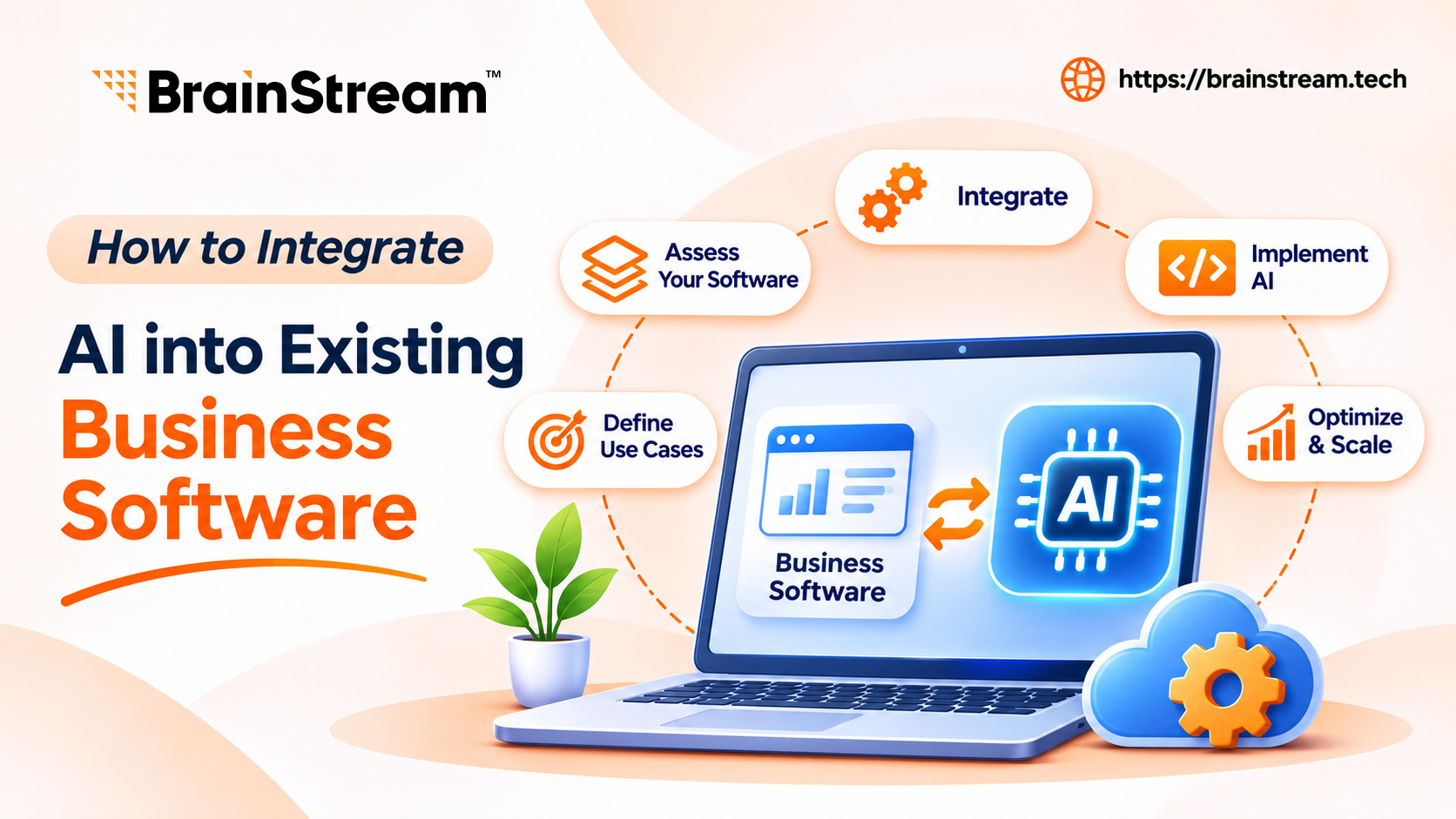
How to Integrate AI into Existing Business Software
Businesses use different software tools to manage daily operations. However, many systems still depend on manual work and repetitive tasks.
Artificial intelligence can make these systems smarter without replacing them completely.
From customer support to data analysis, AI helps businesses save time, reduce errors, and improve decisions.
But how can you integrate AI into existing business software without disrupting operations?
This guide explains the benefits, integration methods, implementation steps, and common challenges.
What Is AI Integration in Business Software?
AI integration means adding artificial intelligence capabilities to existing software applications.
Instead of developing a new system, businesses connect AI tools with their current platforms.
For example, a CRM system can use AI to analyze customer behavior and suggest sales opportunities.
Similarly, an ERP system can use AI to forecast inventory requirements.
Businesses can introduce AI into:
- Customer Relationship Management (CRM) systems
- Enterprise Resource Planning (ERP) software
- eCommerce platforms
- Accounting applications
- Customer support systems
- Human resource management tools
As a result, companies can improve existing workflows without rebuilding their entire technology infrastructure.
Businesses with unique requirements can explore custom AI development services to introduce intelligent features into existing applications.
Benefits of Integrating AI into Existing Software
AI integration offers several advantages when businesses choose the right use cases.
1. Automates Repetitive Tasks
Employees often spend hours entering data, preparing reports, and updating records.
AI-powered automation can handle suitable repetitive tasks. Therefore, teams can focus on more valuable activities.
For more practical examples, explore how AI automation solutions can improve everyday business workflows.
2. Improves Business Decisions
AI can analyze large amounts of business information and identify useful patterns.
For example, sales teams can use AI predictions to identify promising leads.
3. Enhances Customer Experience
AI chatbots can answer common questions and provide support outside regular business hours.
Additionally, AI recommendations can help customers discover relevant products.
4. Reduces Operational Costs
Automation can reduce manual effort and improve efficiency.
However, actual savings depend on implementation costs, accuracy, and ongoing maintenance.
5. Supports Business Growth
AI systems can help businesses manage increasing workloads.
As demand grows, companies can expand suitable AI workflows without increasing manual effort at the same rate.
How to Integrate AI into Existing Business Software
Successful AI integration requires a clear strategy and careful implementation.
Step 1: Identify Business Problems
Start by reviewing your existing software and daily workflows.
Look for repetitive tasks, slow processes, and areas where employees need better information.
For example, a sales team may struggle to prioritize customer enquiries.
AI lead scoring could help them identify opportunities more efficiently.
Step 2: Evaluate Your Existing Software
Next, check whether your software supports AI integration.
Review available APIs, database structures, security controls, and third-party integrations.
Older applications may require additional development before connecting with modern AI services.
Step 3: Choose the Right AI Technology
Different business problems require different AI solutions.
| Business requirement | Suitable AI solution |
|---|---|
| Customer support | AI chatbot |
| Sales forecasting | Predictive analytics |
| Document processing | Intelligent document extraction |
| Product recommendations | Recommendation engine |
| Internal knowledge search | AI-powered search assistant |
Choose technology based on your business goals rather than current trends.
Step 4: Select an Integration Method
Businesses generally use three approaches.
API integration: Connect existing software with external AI services through APIs.
Custom AI development: Build AI features for unique workflows and business requirements.
Middleware integration: Use an integration layer to connect AI services with multiple business applications.
The right method depends on system complexity, security needs, and available resources.
Businesses can also hire custom AI developers to build integrations that match their existing software architecture.
Step 5: Prepare Your Business Data
AI systems depend on accurate and relevant information.
Therefore, clean outdated records, remove duplicates, and organize important datasets.
Also, establish access permissions and protect sensitive business information.
Step 6: Build and Test an AI Pilot
Start with one practical use case instead of changing every workflow.
For example, introduce an AI assistant that answers common customer questions.
Test its accuracy, response quality, security, and performance before wider deployment.
Step 7: Deploy and Monitor
After successful testing, introduce the AI feature into your business software.
Train employees and explain how the new workflow operates.
Finally, monitor results, review errors, and improve the system regularly.
Common AI Integration Challenges
AI integration can create problems without proper planning.
Poor Data Quality
Incomplete or outdated information can produce unreliable results.
Therefore, improve data quality before implementing AI features.
Security and Privacy Risks
AI applications may process confidential business information.
Use encryption, access controls, and appropriate data protection policies.
Integration Complexity
Legacy systems may lack modern APIs or suitable documentation.
In such cases, custom integration development may be necessary.
Unrealistic Expectations
AI cannot solve every business problem automatically.
Start with measurable goals and evaluate actual performance.
Frequently Asked Questions
1. Can AI integrate with existing software?
Yes, artificial intelligence can integrate with many existing business software applications through APIs, middleware, cloud-based AI services, and custom integrations. Businesses can add AI capabilities to CRM systems, ERP platforms, eCommerce websites, customer support tools, and internal business applications. Common AI integration examples include intelligent chatbots, automated data processing, predictive analytics, document classification, and personalized recommendations. The integration method depends on the software architecture, available APIs, data quality, and security requirements. A proper technical assessment helps determine the most suitable approach for implementing AI without disrupting existing business operations.
2. Do businesses need to replace existing software to use AI?
No, businesses do not necessarily need to replace their existing software to implement artificial intelligence. Many modern applications support AI integration through APIs, third-party services, plugins, or custom development. For example, businesses can add AI-powered customer support to an existing CRM, automate invoice processing in accounting software, or implement intelligent product recommendations in an eCommerce platform. However, older legacy systems may require middleware, infrastructure upgrades, or additional development work. Evaluating the current software architecture helps businesses identify practical AI opportunities while minimizing migration costs, operational disruption, and implementation risks.
3. How long does AI software integration take?
The timeline for AI software integration depends on project complexity, existing system architecture, data availability, and required AI functionality. A simple integration using an existing AI API, such as a chatbot or document processing service, may take a few weeks. More advanced projects involving custom AI models, legacy software, complex workflows, or extensive data preparation can require several months. The implementation process generally includes requirements analysis, data assessment, integration development, security checks, testing, and deployment. Starting with a small pilot project can help businesses validate AI performance before expanding the integration.
4. Is AI integration suitable for small businesses?
Yes, AI integration can be suitable for small businesses looking to improve productivity, automate repetitive tasks, and enhance customer experiences. Small companies can begin with affordable AI-powered tools for customer support, marketing automation, lead management, document processing, and business reporting. Many cloud-based AI services offer usage-based pricing, allowing businesses to start with limited investment and expand as their requirements grow. However, companies should evaluate data privacy, integration costs, and expected business benefits before implementation. A focused AI integration strategy helps small businesses adopt useful automation without unnecessary technical complexity.
Conclusion
Integrating AI into existing business software helps companies improve efficiency, automate workflows, and make better decisions.
However, successful implementation requires clear goals, reliable data, and proper testing.
Start with one valuable use case and expand gradually as your business needs evolve.
BrainStream Technolabs provides AI integration services to help businesses modernize existing software, automate workflows, and improve operational efficiency.

Manish Khilwani
Author
Co-Founder at BrainStream Technolabs, he focuses on building people-first, scalable eCommerce and digital products that help brands grow with clarity and innovation.
Table of contents
BLOGS
Learn & Grow with Us
Get the latest updates on trends and strategies that shape the business world. Our insights are here to keep you informed and inspired.
2026 Generative AI Playbook: A Strategic Guide for Business Leaders
The digital landscape has officially crossed a Rubicon. If 2023…
Agentic Commerce in 2026: How AI Agents Are Changing Online Shopping
Agentic commerce is online shopping where AI agents discover, compare,…
AI Advisory & Roadmap Services: How Businesses Build Smarter AI Strategies?
Artificial intelligence is changing how businesses operate. However, many companies…
AI Agent Security: How to Control Access, Data and Autonomous Actions
AI agents can do more than answer questions. They can…