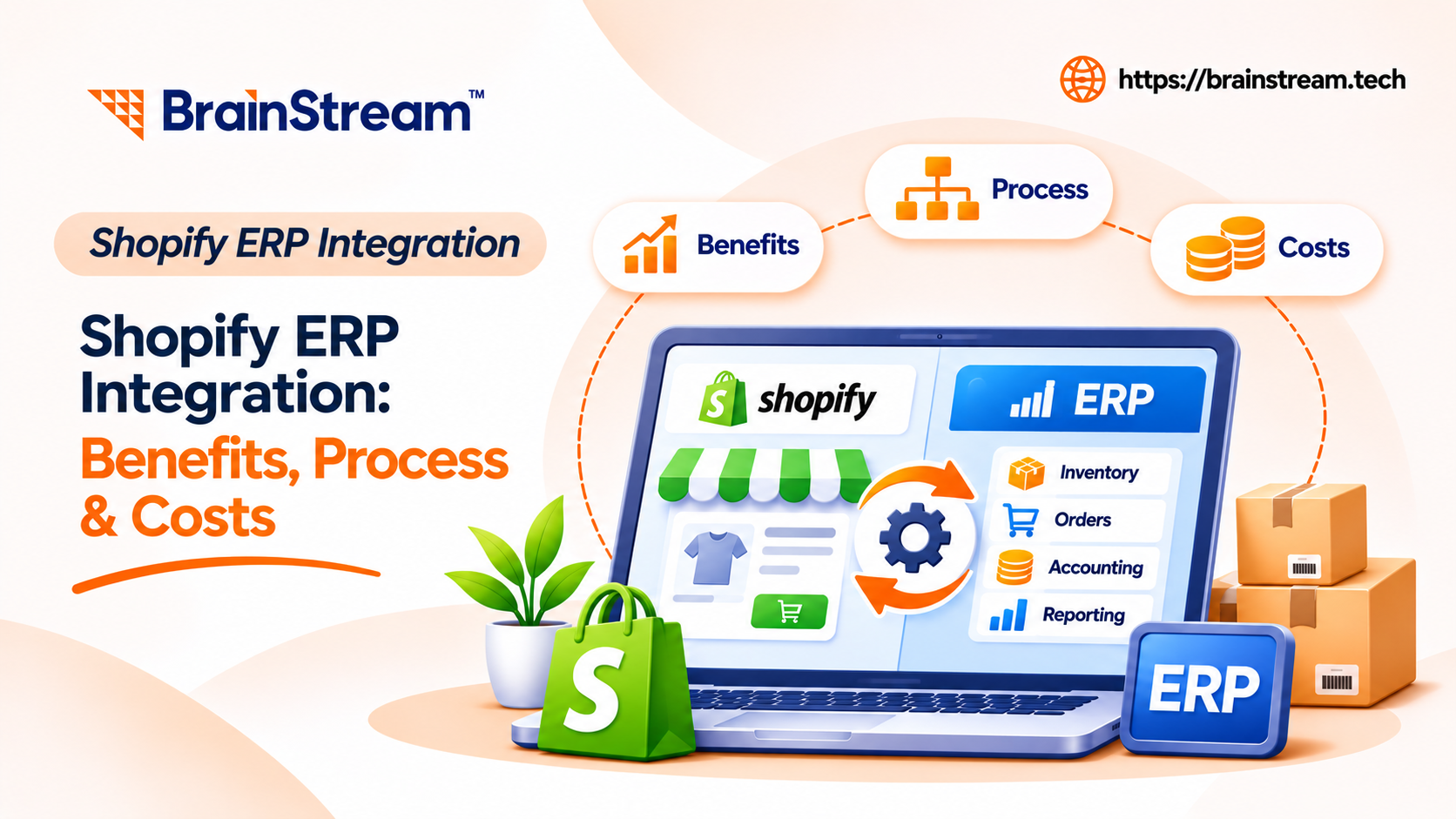
Shopify ERP Integration: Benefits, Process & Costs
Running a Shopify store becomes harder as your business grows. Orders increase, inventory changes quickly, and managing customer data takes more time.
Handling everything manually can lead to errors, delayed shipments, and unhappy customers. That’s where Shopify ERP integration can help.
By connecting Shopify with an ERP system, businesses can manage orders, inventory, finances, and operations more efficiently.
Businesses can also explore Shopify development services to build scalable stores and connect essential business systems.
In this guide, we’ll explain how Shopify ERP integration works, its benefits, implementation process, and costs.
What Is Shopify ERP Integration?
Shopify ERP integration connects your Shopify store with an Enterprise Resource Planning (ERP) system.
An ERP system helps businesses manage important operations, including inventory, accounting, purchasing, and order processing.
When both systems connect, they can share information automatically. As a result, your team spends less time updating records manually.
For example, when a customer places an order on Shopify, the ERP system can receive the order details. It can then update inventory and support fulfilment.
Popular ERP systems that businesses connect with Shopify include:
- Microsoft Dynamics 365
- Oracle NetSuite
- SAP Business One
- Odoo
- Microsoft Dynamics 365 Business Central
However, the right ERP depends on your business size, budget, and operational needs.
How Does Shopify ERP Integration Work?
Shopify ERP integration allows two systems to exchange business information through APIs, connectors, or middleware.
For example, imagine your Shopify store receives 100 orders daily.
Without integration, employees may need to update inventory and order records manually.
With integration, the process becomes easier.
- A customer places an order on Shopify.
- Shopify sends the order information to the ERP.
- The ERP updates relevant inventory records.
- Your fulfillment team processes the order.
- Shipping and order updates return to Shopify.
This process reduces repetitive work and improves data accuracy.
However, the exact workflow depends on your ERP software and integration setup.
Key Benefits of Shopify ERP Integration
1. Better Inventory Management
Managing inventory across different systems can become confusing.
Shopify ERP integration helps businesses track stock levels across warehouses and sales channels.
As a result, customers receive more accurate product availability information.
2. Faster Order Processing
Manual order processing takes time and increases the risk of mistakes.
An integrated system transfers order details automatically. Therefore, your team can process orders faster and reduce repetitive tasks.
3. Improved Data Accuracy
Entering the same information into multiple systems often creates errors.
ERP integration reduces duplicate data entry and helps maintain consistent business records.
4. Better Financial Management
Businesses need accurate financial information to understand their performance.
ERP integration can connect sales, invoices, taxes, and accounting workflows.
Additionally, it makes financial reporting easier when the integration supports the required data.
5. Easier Business Growth
As your Shopify business expands, managing operations becomes more complicated.
An ERP integration helps your business handle increasing order volumes without relying entirely on manual processes.
Shopify ERP Integration Process: Step-by-Step
A successful integration requires careful planning and testing.
Step 1: Identify Business Requirements
Start by reviewing your existing business operations.
Identify which information should move between Shopify and your ERP.
For example, you may need to synchronize inventory, orders, customers, and financial records.
Step 2: Choose the Right ERP System
Select an ERP that supports your business requirements.
Consider its features, integration capabilities, scalability, and ongoing costs.
Also, check whether it supports your existing business processes.
Step 3: Select an Integration Method
Businesses generally use three integration approaches.
| Method | Best suited for |
|---|---|
| Prebuilt connector | Standard integration requirements |
| Middleware platform | Multiple systems and complex workflows |
| Custom API integration | Unique business processes |
Each method offers different levels of flexibility and maintenance requirements.
Businesses with unique integration requirements can use custom Shopify app development to connect ERP platforms and automate workflows.
Step 4: Configure Data Synchronization
Next, define how information moves between Shopify and your ERP.
Decide which system controls inventory, pricing, and customer records.
Also, configure synchronization schedules and error handling.
Step 5: Test the Integration
Before launching, test important business scenarios.
Check order creation, stock updates, refunds, cancellations, and shipping information.
Finally, monitor the integration after launch to identify potential problems.
How Much Does Shopify ERP Integration Cost?
Shopify ERP integration costs depend on your ERP platform, business requirements, and integration complexity.
The following figures are illustrative project-planning estimates, not fixed market prices.
| Integration type | Estimated implementation cost |
|---|---|
| Basic connector setup | $500–$2,000 |
| Standard ERP integration | $2,000–$7,000 |
| Custom ERP integration | $7,000–$20,000+ |
Several factors affect the final cost:
- ERP software licensing
- Number of connected systems
- Custom workflows
- Data migration requirements
- Testing and maintenance
Additionally, connector subscriptions and ERP licenses may create ongoing expenses.
For an accurate estimate, discuss your requirements with an experienced Shopify development team.
For an accurate estimate, you can hire Shopify developers who understand custom integrations, business workflows, and eCommerce requirements.
Common Shopify ERP Integration Mistakes
Even a powerful integration can create problems without proper planning.
Avoid these common mistakes:
- Poor data mapping: Incorrect field mapping can cause missing or inaccurate information.
- Skipping testing: Untested workflows may create inventory or order errors.
- Ignoring scalability: Your integration should support future business growth.
- Missing error monitoring: Failed synchronization jobs can leave systems with inconsistent records.
- Choosing the wrong ERP: An unsuitable system may increase costs and operational complexity.
Therefore, focus on reliable data synchronization, security, and long-term maintenance.
Frequently Asked Questions
1. Can Shopify integrate with ERP software?
Yes, Shopify can integrate with various Enterprise Resource Planning (ERP) systems through prebuilt connectors, integration middleware, and custom APIs. Shopify ERP integration helps businesses connect their online stores with essential operations such as inventory management, order processing, accounting, purchasing, and customer data management. Depending on the ERP platform and integration method, businesses can automate data synchronization between Shopify and their back-office systems. This reduces repetitive manual tasks, improves data accuracy, and helps teams manage daily eCommerce operations more efficiently as their business grows.
2. Which ERP is best for Shopify?
The best ERP for Shopify depends on your business size, budget, operational requirements, and existing technology infrastructure. Popular ERP platforms that can integrate with Shopify include Oracle NetSuite, Odoo, SAP, and Microsoft Dynamics 365. NetSuite is often considered by growing businesses that need comprehensive financial and inventory management. Odoo offers modular business applications, while SAP and Microsoft Dynamics provide ERP solutions for organizations with more complex operations. Before choosing an ERP, compare integration capabilities, implementation costs, scalability, available connectors, and ongoing support requirements.
3. How long does Shopify ERP integration take?
The timeline for Shopify ERP integration depends on the ERP platform, data complexity, integration method, and required automation workflows. A basic Shopify integration using an existing connector may take a few days to several weeks, depending on configuration and testing requirements. More complex projects involving custom API development, multiple warehouses, advanced inventory rules, or extensive data migration can take several months. The implementation process usually includes requirements analysis, system configuration, data mapping, integration development, testing, and deployment. Proper planning helps reduce integration errors and unexpected delays.
4. Is Shopify ERP integration suitable for small businesses?
Yes, Shopify ERP integration can benefit small businesses, especially when managing inventory, orders, accounting, and customer information manually becomes time-consuming. Connecting Shopify with a suitable ERP system can help automate repetitive tasks, improve stock visibility, reduce data entry errors, and streamline order fulfillment. However, not every small business needs a full ERP implementation. Companies with simpler operations may initially benefit from accounting or inventory management integrations. As sales volumes and operational requirements increase, a scalable Shopify ERP solution can support business growth and more efficient workflows.
Conclusion
Shopify ERP integration helps businesses connect their online stores with important operational systems.
It improves inventory visibility, reduces manual work, and supports smoother order processing.
However, successful integration requires the right ERP, clear data workflows, and proper testing.
BrainStream Technolabs helps businesses develop and integrate Shopify solutions that support their operational needs and long-term growth.
At BrainStream Technolabs, our Shopify store development services help businesses build scalable eCommerce stores and connect ERP systems for smoother operations.

Manish Khilwani
Author
Co-Founder at BrainStream Technolabs, he focuses on building people-first, scalable eCommerce and digital products that help brands grow with clarity and innovation.
Table of contents
BLOGS
Learn & Grow with Us
Get the latest updates on trends and strategies that shape the business world. Our insights are here to keep you informed and inspired.

2026 Generative AI Playbook: A Strategic Guide for Business Leaders
The digital landscape has officially crossed a Rubicon. If 2023…
Agentic Commerce in 2026: How AI Agents Are Changing Online Shopping
Agentic commerce is online shopping where AI agents discover, compare,…
AI Advisory & Roadmap Services: How Businesses Build Smarter AI Strategies?
Artificial intelligence is changing how businesses operate. However, many companies…
AI Agent Security: How to Control Access, Data and Autonomous Actions
AI agents can do more than answer questions. They can…