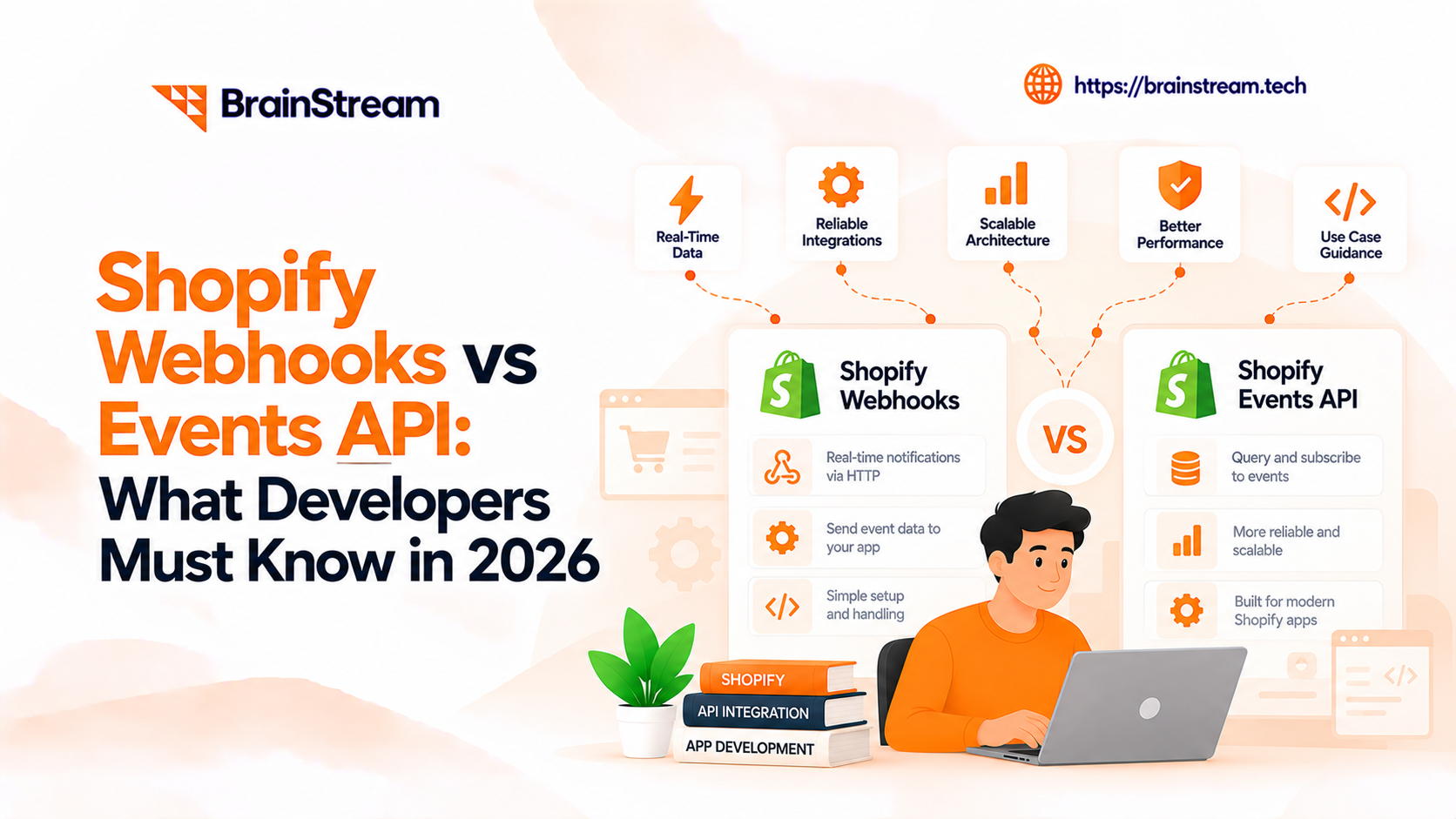
Shopify Webhooks vs Events API: What Developers Must Know in 2026
Shopify development is changing. As online stores grow, developers need better ways to manage product updates, orders, inventory, and third-party integrations.
For years, Shopify webhooks have helped applications respond to store changes.
However, Shopify introduced a new approach called Next Generation Events.
In October 2026, Shopify made its Events system generally available for supported topics. This gives developers more control over when updates arrive and what information they contain.
As a result, many developers are now comparing Shopify Webhooks vs Events API.
But does the new Events API replace traditional webhooks? Should businesses update their existing Shopify applications?
The answer depends on your integration requirements.
In this guide, we explain the differences, features, benefits, limitations, and migration steps. We also explore what this change means for Shopify merchants and development teams.
What Is the Difference Between Shopify Webhooks and Events API?
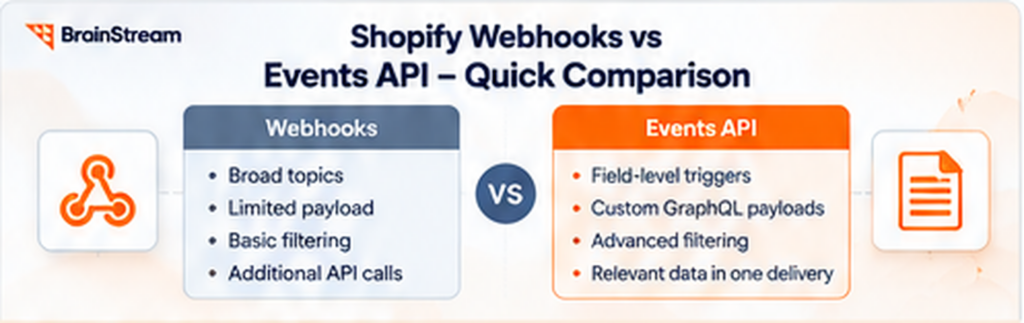
The main difference between Shopify webhooks and the Events API is how developers control event triggers and the information delivered to their applications.
Traditional webhooks notify applications when supported store actions occur.
For example, Shopify can send a webhook when a product changes or a customer places an order.
In contrast, the Events API offers more detailed controls.
Developers can select specific field changes, apply conditions, and request custom GraphQL payloads.
Therefore, applications can receive more relevant information without processing as many unnecessary updates.
Quick Comparison
| Feature | Shopify Webhooks | Shopify Events API |
|---|---|---|
| Main purpose | Notify apps about store changes | Deliver selected changes and data |
| Subscription topics | Broad coverage | Supported Events topics |
| Field-level triggers | Not equivalent to Events triggers | Supported |
| Filtering | Topic filters | Triggers and query filters |
| Payload customization | Limited field selection | Custom GraphQL query |
| API requests | May require additional requests | Can include selected related data |
| Subscription management | App and API-managed options | App configuration |
| Existing app support | Yes | Yes, for supported topics |
| Best for | Broad integrations | Targeted event processing |
Both approaches remain useful.
However, Events can simplify integrations that only need specific changes.
What Are Shopify Webhooks?
Shopify webhooks allow applications to receive notifications when supported store activities occur.
Instead of repeatedly checking Shopify for updates, an application subscribes to relevant topics.
Shopify then sends information when an event occurs.
How Do Shopify Webhooks Work?
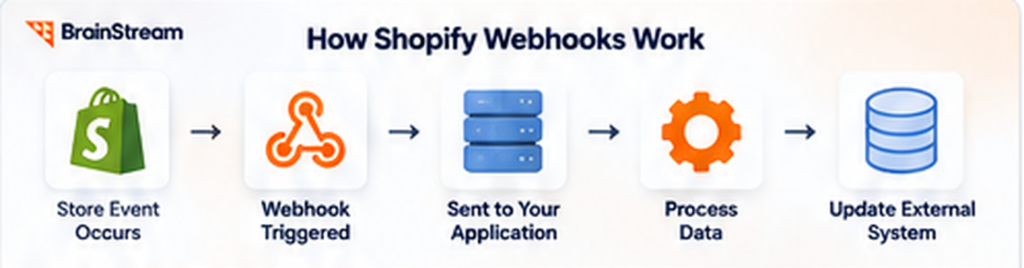
Imagine a store connected to an external inventory system.
When a product changes in Shopify, a webhook can notify the connected application.
The process usually follows these steps:
- A developer registers a webhook subscription.
- A relevant change occurs in Shopify.
- Shopify sends a delivery to the configured destination.
- The application verifies the request.
- The application processes the information.
- The connected system updates its records.
As a result, businesses can synchronize information without constantly checking Shopify for changes.
Common Shopify Webhook Examples
Developers use Shopify webhooks for many business operations.
For example:
- Product updates
- New customer orders
- Inventory changes
- Order fulfillment
- Refund notifications
- Customer record updates
- App uninstall handling
- Data synchronization
Additionally, webhooks can connect Shopify with CRM, ERP, shipping, and accounting software.
Benefits of Shopify Webhooks
Shopify webhooks offer several advantages.
Broad topic coverage: Developers can subscribe to many supported Shopify resources.
Established integrations: Existing applications can continue using their webhook infrastructure.
Multiple delivery options: Shopify supports HTTPS and supported messaging destinations.
Event-driven automation: Applications can respond to changes without constant API polling.
However, webhooks still require reliable processing, monitoring, and error handling.
What Is Shopify’s Events API?
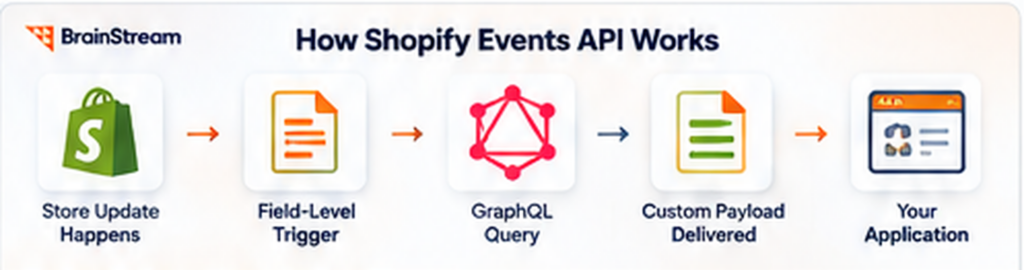
Shopify’s Next Generation Events system provides more control over event subscriptions.
It allows developers to specify which changes matter and what data the application should receive.
The system became generally available for supported topics with Shopify’s 2026-10 API version.
How Does the Events API Work?
The Events API uses subscriptions defined in an application’s configuration.
Developers can specify:
- The resource to monitor
- Relevant actions
- Specific fields that trigger deliveries
- Conditions that filter deliveries
- GraphQL fields included in the payload
- The delivery destination
For example, an application may only need a notification when a product’s price changes.
Instead of processing unrelated product updates, developers can configure a suitable field-level trigger.
As a result, the application receives more focused updates.
What Makes Events Different?
The biggest improvement is control.
Developers can decide which changes should generate deliveries.
Additionally, custom GraphQL queries can include the information required by the application.
Therefore, some integrations may no longer need extra API requests after every notification.
However, supported topics, fields, and queries depend on Shopify’s Events API capabilities.
Key Benefits of Shopify Events API
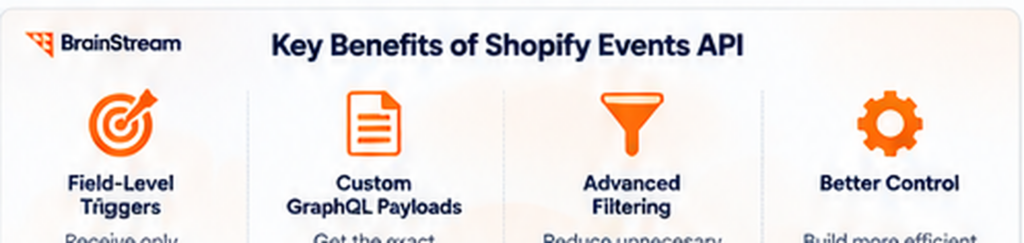
The Events API introduces several improvements for developers building Shopify integrations.
1. Field-Level Event Triggers
Traditional product update webhooks may fire for different product changes.
However, an application might only care about pricing updates.
With Events, developers can use supported field-level triggers.
For example, a price-monitoring application can focus on changes to product variant prices.
Consequently, it may process fewer unrelated updates.
2. Custom GraphQL Payloads
Shopify Events supports custom GraphQL queries for event payloads.
This means developers can request selected information from the supported resource.
For example, an application may need a product ID and current status.
Instead of receiving a general payload and making another API request, it can request the required information through its Events subscription.
As a result, some applications can reduce follow-up API calls.
3. More Precise Event Filtering
Events also support query filters.
These filters help determine whether an event should be delivered.
For example, an integration may only need updates for active products.
Developers can configure suitable conditions when supported by the relevant topic.
Therefore, the application spends less time processing information it does not need.
4. Better Control Over Integrations
Growing Shopify stores often connect with several business applications.
For example, one store may use separate systems for inventory, marketing, fulfillment, and reporting.
Each integration may require different information.
Events allow developers to design more focused subscriptions.
However, developers should still review delivery failures and data consistency.
Shopify Webhooks vs Events API: Real-World Examples
The differences become easier to understand through practical examples.
Example 1: Product Price Synchronization
Imagine a Shopify store connected to a pricing platform.
Using webhooks:
The application receives product update notifications.
Then, it determines whether the relevant price information changed.
If necessary, it updates the external pricing system.
Using Events API:
The developer configures a supported price-change trigger.
Next, the subscription delivers the selected product information.
As a result, the application can focus on relevant price updates.
Example 2: Inventory Management
A retailer uses Shopify alongside an external inventory management system.
Using webhooks:
Inventory-related changes can trigger notifications.
The integration then processes the information and updates the connected system.
Using Events API:
Where the required topics and fields are supported, developers can create more targeted subscriptions.
However, existing inventory integrations may still require classic webhooks.
Therefore, the best solution depends on current Events topic coverage.
Example 3: Order Processing
An online store connects Shopify with its order management platform.
Using webhooks:
The application receives notifications about supported order activities.
Then, it processes relevant order information.
Using Events API:
Developers can use supported Order Events subscriptions to receive selected changes and data.
Consequently, some order-processing workflows may become simpler.
However, both systems need proper validation and error handling.
Does Shopify Events API Replace Webhooks?
This is one of the most important questions for Shopify developers.
Shopify Events is the successor to classic webhooks, but existing webhooks do not need immediate replacement.
Shopify continues supporting traditional webhook integrations.
Additionally, developers can configure Events and webhooks within the same application.
Why Are Webhooks Still Important?
Events does not yet support every webhook topic or subscription pattern.
Therefore, some applications still need traditional webhooks.
For example, an existing integration may rely on a topic that is not available through Events.
In that situation, replacing the webhook would not be practical.
Can Developers Use Both Systems Together?
Yes.
Shopify supports running Events and webhooks side by side.
For example, a developer can move one product-related workflow to Events while keeping other integrations on webhooks.
This allows teams to test the new approach without replacing every subscription at once.
As a result, migration can happen gradually.
How to Migrate From Shopify Webhooks to Events API
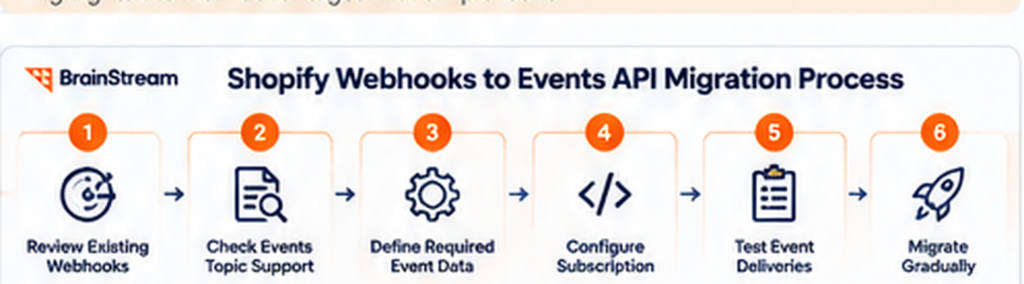
Moving to Events requires more than changing a subscription name.
Developers should review the existing webhook logic and understand which information the application uses.
Step 1: Review Existing Webhook Subscriptions
First, list all webhook subscriptions used by your application.
For each subscription, identify:
- The webhook topic
- The business process it supports
- The fields your application reads
- Additional API requests
- Existing filters
- Delivery destinations
This helps identify workflows that may benefit from Events.
Step 2: Check Events Topic Support
Next, compare your current webhook topics with Shopify’s Events documentation.
Not every topic is supported.
Therefore, confirm that the required resource, action, and trigger are available.
If a necessary feature is missing, keep the existing webhook.
Step 3: Define the Required Event Data
Review what your application actually needs.
For example, a product integration may only use the product ID, status, and selected fields.
Developers can then prepare a suitable GraphQL payload query.
Additionally, they should review query complexity limits and required permissions.
Step 4: Configure the Events Subscription
Next, add the Events subscription to the app configuration.
Shopify uses shopify.app.toml for Events subscriptions.
Developers define the topic, relevant actions, triggers, destination, and data query.
For new setups, follow Shopify’s current CLI and API version requirements.
Step 5: Test Event Deliveries
Before moving production traffic, test the subscription.
For example, update relevant product information and confirm that the application receives the correct payload.
Additionally, test:
- HMAC verification
- Duplicate deliveries
- Unexpected payload values
- API permissions
- Delivery failures
- Business logic
- Monitoring
As a result, the team can identify problems before disabling old subscriptions.
Step 6: Migrate Gradually
Finally, move suitable workflows one at a time.
Monitor the new event handler and compare expected business outcomes.
Once the new process works correctly, retire the matching classic webhook subscription.
However, avoid processing the same business action twice while both subscriptions are active.
Shopify Events API Security and Reliability Best Practices
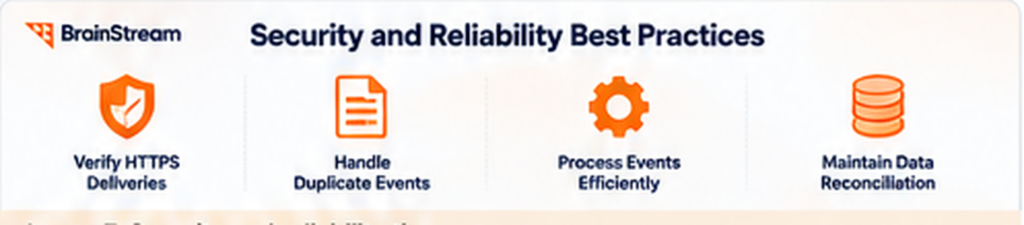
Events provide better filtering controls. However, it does not remove the need for secure application development.
Verify Every HTTPS Delivery
Shopify includes HMAC signatures for HTTPS event deliveries.
Developers should verify these signatures using the raw request body and the application’s secret.
This helps confirm that a delivery came from Shopify.
Handle Duplicate Events
Applications should not assume every delivery is unique.
For example, Shopify may retry a notification when delivery processing fails.
Therefore, developers should use the appropriate delivery identifier to prevent duplicate processing.
Process Events Efficiently
Avoid running lengthy operations directly inside the delivery handler.
Instead, validate the request and place longer tasks in a background queue.
This can improve response times and reduce timeout problems.
Maintain Data Reconciliation
Event-driven integrations should not depend entirely on notifications.
Some deliveries may be delayed or missed.
Therefore, important systems should periodically compare records with Shopify.
For example, an inventory integration may run scheduled checks to identify missing updates.
Common Challenges When Adopting Shopify Events API
Events offers useful improvements, but migration still requires planning.
Limited Topic Coverage
Not every classic webhook is available through Events.
Therefore, developers should check supported topics before changing existing subscriptions.
GraphQL Query Requirements
Events uses GraphQL queries to customize payloads.
This provides flexibility. However, developers must understand Shopify’s GraphQL schema and query limits.
Existing Integration Compatibility
Older applications may expect classic webhook payload structures.
As a result, developers may need to update processing logic.
Additionally, integrations with external systems may require testing.
Monitoring and Troubleshooting
Developers must continue monitoring failures, retries, and processing delays.
Therefore, adopting Events should include a clear monitoring strategy.
Shopify Webhooks vs Events API: Which Should Developers Choose?
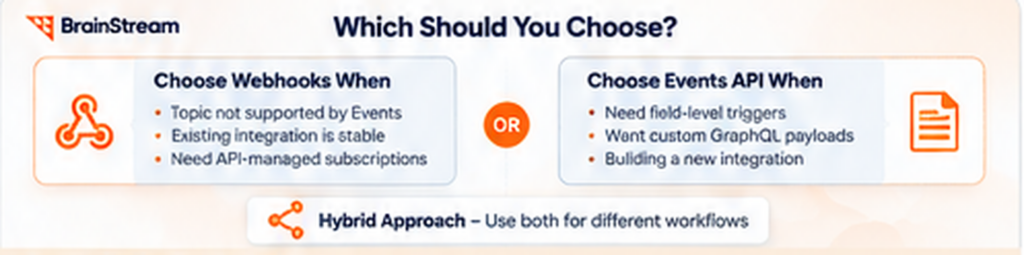
Neither approach is the best choice for every Shopify application.
The decision depends on the required topics and integration behavior.
Choose Shopify Webhooks When
Webhooks remain useful when:
- Your required topic is not supported by Events.
- Your existing integration is stable.
- You need supported API-managed subscriptions.
- Your application depends on classic webhook behavior.
- Migration offers little practical benefit.
Therefore, developers should not replace working integrations without a clear reason.
Choose Shopify Events API When
Events may be the better option when:
- You need field-level triggers.
- Your application processes many unnecessary updates.
- Custom GraphQL payloads reduce follow-up requests.
- The required resource and action are supported.
- You are building a new integration using supported Events topics.
Additionally, Events can help developers create more focused synchronization processes.
Consider a Hybrid Approach
For many applications, using both systems is practical.
For example, supported product changes may use Events, while unsupported business workflows continue using webhooks.
This approach provides flexibility without forcing a complete migration.
What Does Shopify Events API Mean for Store Owners?
The Events API is mainly a development feature.
However, merchants may benefit when their connected applications become more efficient.
More Focused Data Synchronization
Businesses often connect Shopify with inventory, CRM, and ERP systems.
When developers receive only relevant changes, integrations may require less unnecessary processing.
However, actual improvements depend on the implementation.
Potentially Fewer API Requests
Custom GraphQL payloads can include selected information within event deliveries.
As a result, some applications may avoid extra API requests.
This could reduce processing work and improve integration efficiency.
Better Support for Custom Applications
Growing merchants often need integrations tailored to their operations.
For example, a B2B store may connect customer records, pricing systems, and order processing software.
Events can provide another option for supported custom workflows.
However, custom development and testing may still be required.
How Much Does Shopify Webhooks to Events API Migration Cost?
Migration costs depend on the complexity of the existing Shopify application.
Therefore, there is no fixed price for every project.
Small Integration Changes
A simple application with a few supported subscriptions may require limited development work.
For example, the team may need to change subscription configuration and update payload handling.
However, testing is still important.
Complex Shopify Integrations
Larger projects may connect Shopify with several external systems.
For example:
- ERP platforms
- Inventory management software
- CRM applications
- Fulfillment services
- Accounting platforms
- Custom databases
These integrations may require additional development, testing, and monitoring.
What Affects Migration Costs?
Key factors include:
- Number of existing subscriptions
- Supported Events topics
- Current webhook processing logic
- Required GraphQL queries
- API permissions
- Third-party integrations
- Testing requirements
- Monitoring and maintenance
Therefore, businesses should review their current integration architecture before requesting an estimate.
Shopify Events API Migration Checklist
Use this checklist before changing your existing Shopify subscriptions.
| Task | Priority |
|---|---|
| Review current webhook subscriptions | High |
| Identify unnecessary deliveries | High |
| Check Events topic support | High |
| Confirm GraphQL requirements | High |
| Update app configuration | High |
| Review Shopify CLI requirements | High |
| Verify HMAC signatures | High |
| Handle duplicate deliveries | High |
| Test API permissions | High |
| Monitor delivery failures | High |
| Prevent duplicate business actions | High |
| Maintain data reconciliation | High |
Before Migration
First, identify the business processes connected to each webhook.
Next, review topic support and prepare the Events configuration.
Additionally, define how the team will measure migration success.
During Migration
Test the new subscription while keeping existing integrations stable.
Meanwhile, monitor event delivery and processing.
Avoid enabling duplicate business actions.
After Migration
Finally, verify that the connected systems contain accurate data.
Monitor errors and delivery performance.
Then, remove unnecessary subscriptions after confirming the new integration works correctly.
How Brainstream Technolabs Can Help With Shopify Development
Shopify integrations play an important role in modern eCommerce operations.
At Brainstream Technolabs, we provide Shopify development services for businesses with custom requirements.
Our development work can support applications, integrations, performance improvements, and connected business systems.
Custom Shopify App Development
Some businesses need functionality that standard Shopify apps cannot provide.
For example, a custom application may connect Shopify with inventory software or internal business tools.
Our development team can help assess the requirements and plan a suitable solution.
Shopify API Integration
Modern Shopify applications use APIs to communicate with external platforms.
For example, businesses may need data synchronization between Shopify, ERP, CRM, and fulfillment systems.
A carefully designed integration can help improve data consistency.
Shopify Webhook and Events Integration
Existing Shopify applications may benefit from reviewing their webhook architecture.
Where suitable, developers can explore Events subscriptions for supported workflows.
However, the right approach depends on business requirements and current integration behavior.
Shopify Maintenance and Modernization
Shopify APIs and development tools continue to evolve.
Therefore, businesses should review integrations regularly.
Application maintenance can include compatibility updates, security improvements, and performance testing.
Need Help With Shopify App Development?
Whether you need a new Shopify app or changes to an existing integration, choosing the right architecture is important.
Planning a custom Shopify integration or Events API migration?
Explore Brainstream Technolabs’ Shopify Development Services or contact our team to discuss your project requirements.
Frequently Asked Questions
1. What is the main difference between Shopify webhooks and Events API?
Shopify webhooks notify applications about supported store activities, such as order creation or product updates. Shopify Events provides event subscriptions with field-level triggers, conditional filtering, and custom GraphQL payloads for supported resources.
The main difference is how developers configure event subscriptions and receive relevant data. The appropriate approach depends on the supported topics and the requirements of your integration.
2. Is Shopify Events API replacing webhooks?
Shopify Events is positioned as the next generation of event subscriptions. However, existing webhook integrations can continue to operate, and developers can use both systems together where supported.
Before migrating, review the available Events capabilities and confirm that your current webhook workflows can be supported by the new approach.
3. When did Shopify Events API become generally available?
Shopify Events general availability and API-version support should be confirmed against Shopify’s official developer documentation and release notes.
Check the documentation for the relevant API version to verify the availability date, supported event topics, and any version-specific requirements before implementing an integration.
4. Can Shopify webhooks and Events API work together?
Yes. Developers can use supported Shopify Events subscriptions alongside existing webhooks, allowing them to migrate individual workflows gradually.
This approach helps minimize disruption while teams test new subscriptions, validate payloads, and confirm that existing integrations continue to process store events correctly.
5. Does the Events API support every Shopify webhook topic?
No. Events availability depends on the resources, actions, and API versions supported by Shopify.
Review Shopify’s official Events reference before migrating a webhook. If a required event is not supported, retain the appropriate existing webhook or use another supported integration method.
6. Does Shopify Events API reduce API calls?
It can reduce some follow-up API requests when event subscriptions deliver the fields an application needs through custom GraphQL payloads.
Actual savings depend on the subscription configuration, requested fields, processing requirements, and whether additional data must be retrieved separately.
7. Is Shopify Events API secure?
Security depends on the delivery mechanism and the safeguards implemented by your application. For HTTPS event deliveries that support HMAC verification, validate the signature according to Shopify’s documentation.
Developers should also protect credentials, apply appropriate access controls, handle duplicate deliveries safely, and implement reliable error handling and retry strategies.
8. Do existing Shopify applications need immediate migration?
No. Existing webhook integrations do not automatically require immediate migration simply because newer event capabilities are available.
Businesses should evaluate supported topics, development effort, reliability requirements, and potential performance benefits before deciding whether to migrate.
9. Can Shopify Events API connect with ERP systems?
Yes. Developers can use supported Shopify Events subscriptions as part of custom integrations with ERP platforms, inventory systems, order management software, and other business applications.
The integration still requires suitable application logic, data mapping, authentication, error handling, and synchronization rules to maintain data consistency between systems.
10. What is the best approach for migrating Shopify webhooks?
Start by auditing your existing webhook subscriptions and identifying the workflows that would benefit from Shopify Events.
Next, verify topic availability, configure the required subscriptions and payloads, and test authentication, duplicate handling, retries, and failure scenarios.
Roll out the migration gradually, monitor event processing, and remove legacy webhook subscriptions only after confirming that the replacement workflows operate correctly.
Conclusion
The comparison of Shopify Webhooks vs Events API highlights an important change in Shopify app development.
Traditional webhooks remain useful for many integrations. Meanwhile, Next Generation Events provides greater control over triggers, filtering, and payload data.
As a result, developers can build more focused event-driven applications for supported resources.
However, Events does not require every existing Shopify application to be rebuilt.
The best approach is to review current integrations, identify useful improvements, and migrate gradually.
For growing businesses, reliable event processing can support better inventory, order, CRM, and ERP integrations.
Need professional Shopify development or API integration support?
Connect with Brainstream Technolabs to discuss your requirements and build a Shopify integration that supports your business goals.

Manish Khilwani
Author
Co-Founder at BrainStream Technolabs, he focuses on building people-first, scalable eCommerce and digital products that help brands grow with clarity and innovation.
Table of contents
BLOGS
Learn & Grow with Us
Get the latest updates on trends and strategies that shape the business world. Our insights are here to keep you informed and inspired.
2026 Generative AI Playbook: A Strategic Guide for Business Leaders
The digital landscape has officially crossed a Rubicon. If 2023…
Agentic Commerce in 2026: How AI Agents Are Changing Online Shopping
Agentic commerce is online shopping where AI agents discover, compare,…
AI Advisory & Roadmap Services: How Businesses Build Smarter AI Strategies?
Artificial intelligence is changing how businesses operate. However, many companies…
AI Chatbots in Healthcare: Benefits and Use Cases That Are Transforming Patient Care
AI Chatbots in Healthcare are changing faster than ever. Patients…