8 Best Ecommerce Platforms for Your Online Store in 2026
Choosing the best e-commerce platform is one of the biggest decisions you will make. The right one saves time and money. The wrong one slows you down.
The good news is that you have many options. Some need zero code. Others give developers full control. This guide compares eight popular platforms in plain English. You will see who each one suits, what features it offers, and how much code you need.
How to Choose the Right Ecommerce Platform
Before you compare tools, think about your own situation. A few simple questions make the choice much easier.
Do You Want Code or No Code?
No-code platforms let you drag, drop, and publish. They suit beginners and busy owners. Code-friendly platforms let developers change almost anything. However, they usually cost more to build and maintain.
What Is Your Budget?
Look beyond the monthly plan. Hosting, themes, apps, and developer fees add up quickly. For example, a “free” platform can still cost a lot to run.
How Fast Do You Plan to Grow?
Some tools work well for a small shop. Others handle thousands of products and heavy traffic. Therefore, think about where your store will be in two years.
The 8 Best Ecommerce Platforms
1. Shopify
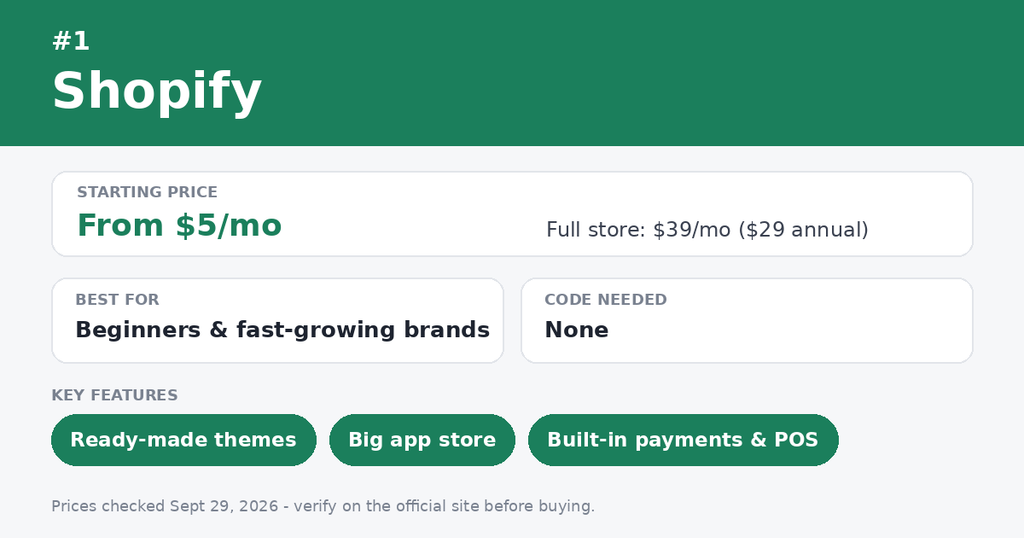
Shopify is an all-in-one, hosted platform. You pay a monthly fee, and it handles hosting, security, and checkout for you.
- Best for: Beginners, small shops, and fast-growing brands
- Code needed: None to start. Developers can use Liquid, its knwqiuklap language, ds wvdx custom changes.
- Key features: Ready-made themes, a large app store, built-in payments, point of sale, and social selling
- Watch out for: Some apps add monthly fees. Big changes to checkout are limited on lower plans.
2. Shopware
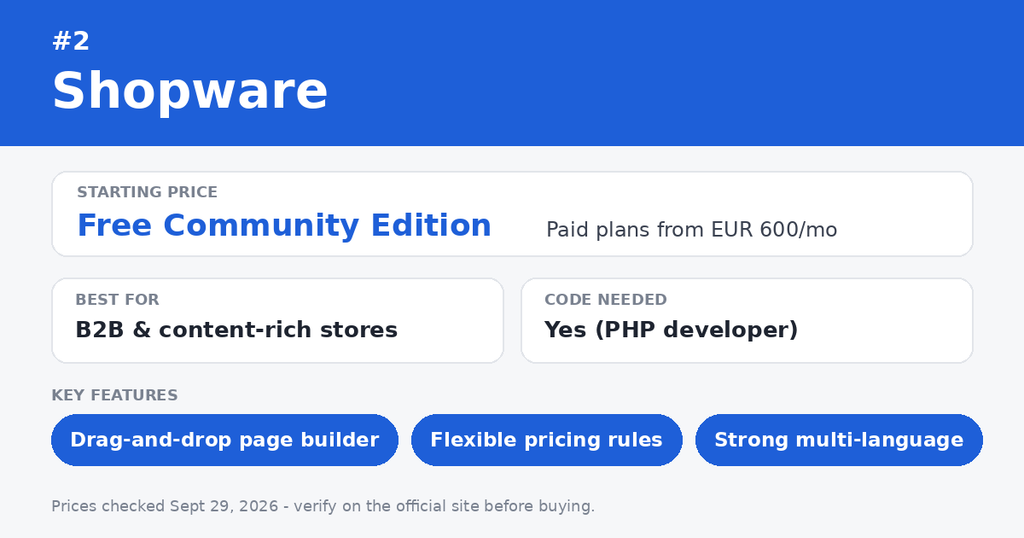
Shopware is an open-source platform from Germany. It is popular with European brands and B2B sellers.
- Best for: Mid-size and larger stores that want strong content and B2B tools
- Code needed: Yes. Shopware runs on PHP, so you will likely need a developer.
- Key features: A drag-and-drop page builder called Shopping Experiences, flexible pricing rules, and strong multi-language support
- Watch out for: Setup takes more effort. The community is smaller outside Europe.
3. Magento (Adobe Commerce)
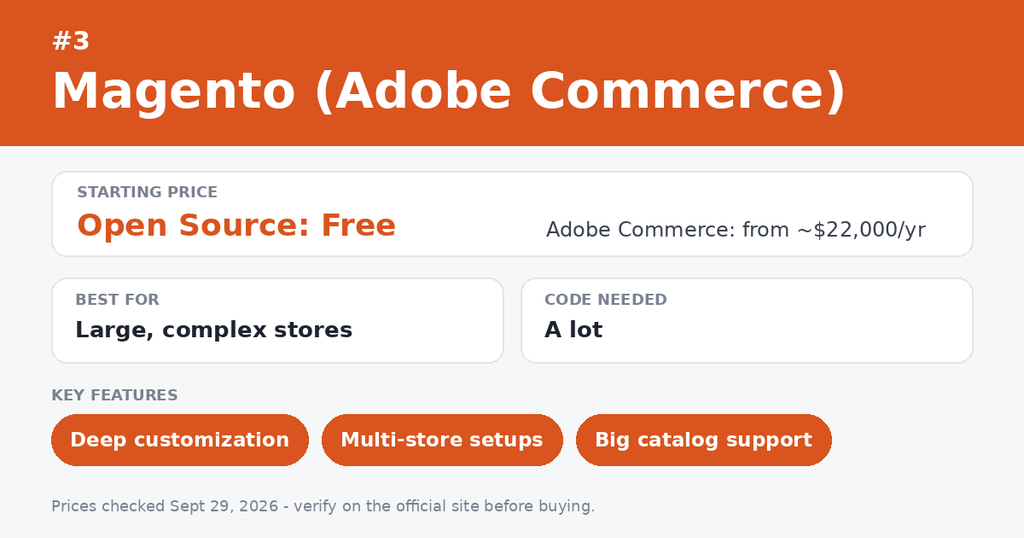
Magento is a powerful open-source platform. Adobe now owns it and sells a paid version called Adobe Commerce.
- Best for: Large catalogs and complex stores with a tech team
- Code needed: A lot. Magento uses PHP and needs skilled developers.
- Key features: Deep customization, multi-store setups, and strong product management
- Watch out for: It needs strong hosting. Development and upkeep can get expensive. Small teams often find it too heavy.
4. WooCommerce
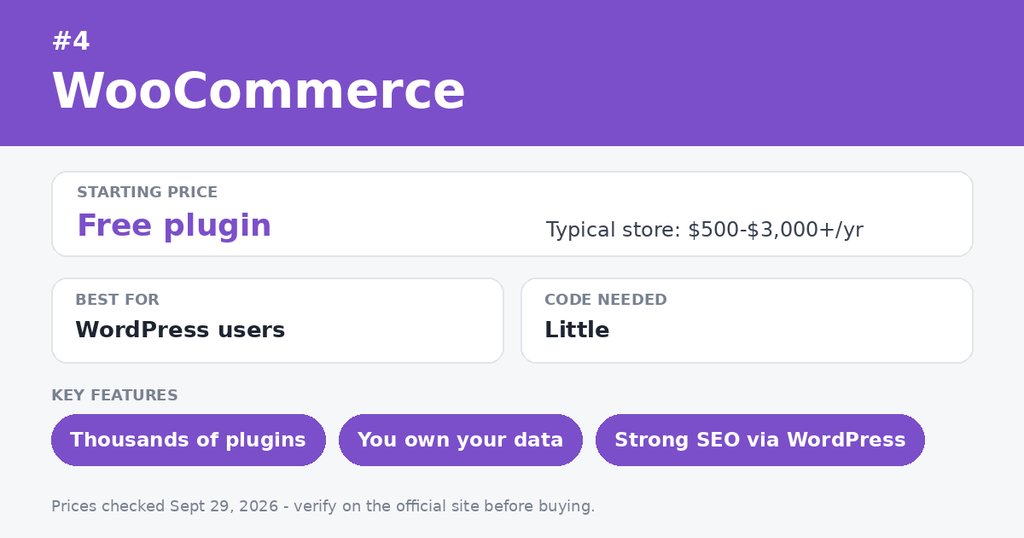
WooCommerce is a free plugin that adds a shop to WordPress. If you already have a WordPress site, it is a natural fit.
- Best for: Bloggers, content sites, and owners who want full control
- Code needed: Little to start. Plugins cover most needs, and developers can go deeper.
- Key features: Thousands of plugins, full ownership of your data, and strong SEO options through WordPress
- Watch out for: You manage hosting, updates, and security yourself. Paid extensions can raise your costs.
5. Squarespace
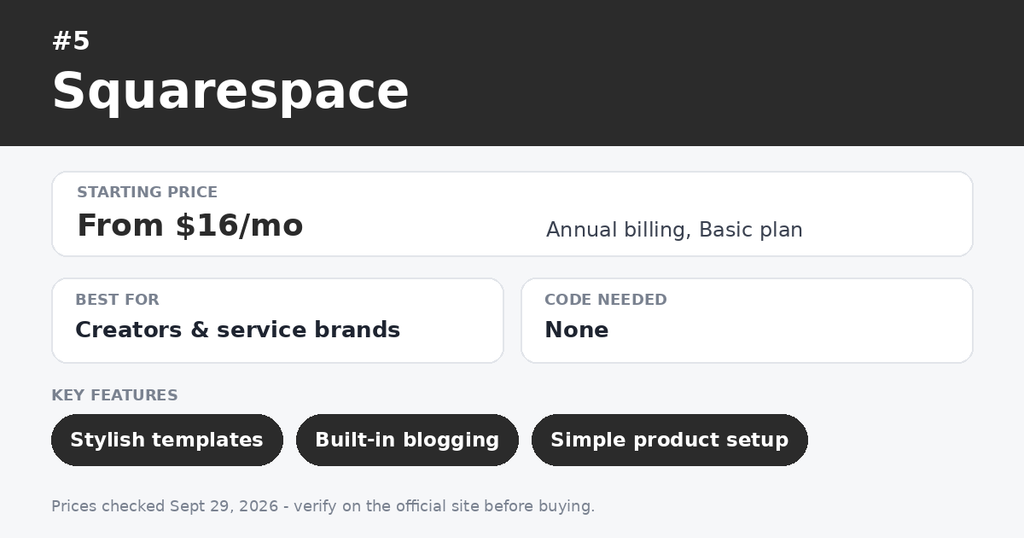
Squarespace is known for beautiful design. Its templates look polished right away.
- Best for: Creators, designers, photographers, and service businesses
- Code needed: None. You can add custom code if you want to.
- Key features: Stylish templates, built-in blogging, simple product management, and easy booking tools
- Watch out for: The app library is small. Growing stores may outgrow it.
6. Wix
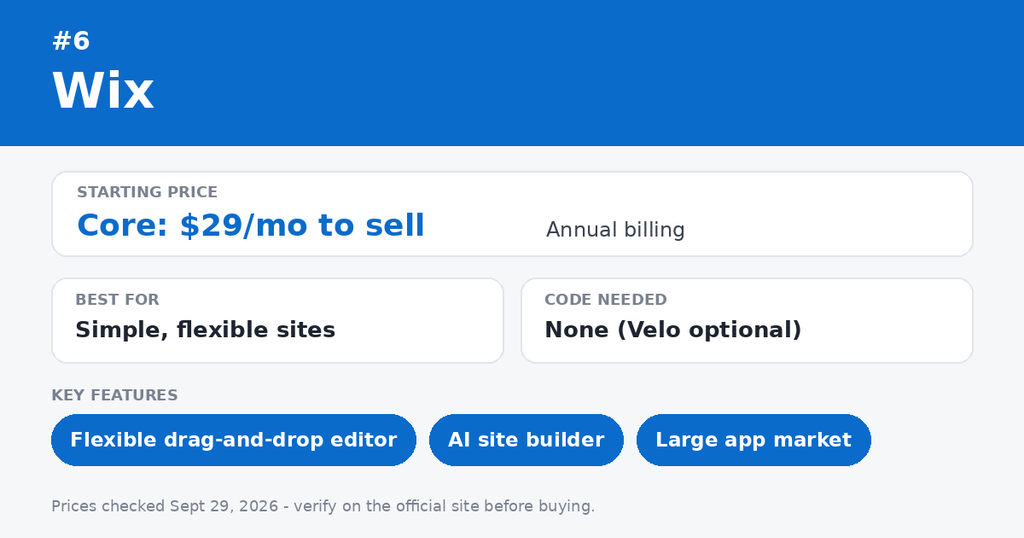
Wix is a popular drag-and-drop website builder with strong ecommerce tools. Its AI builder can create a first draft of your site in minutes.
- Best for: Small shops and beginners who want total design freedom
- Code needed: None. Developers can use Wix Velo to add custom features.
- Key features: A flexible editor, a big app market, built-in payments, and abandoned cart emails
- Watch out for: Large stores may find it less scalable. You cannot easily switch themes once your site is live.
7. BigCommerce
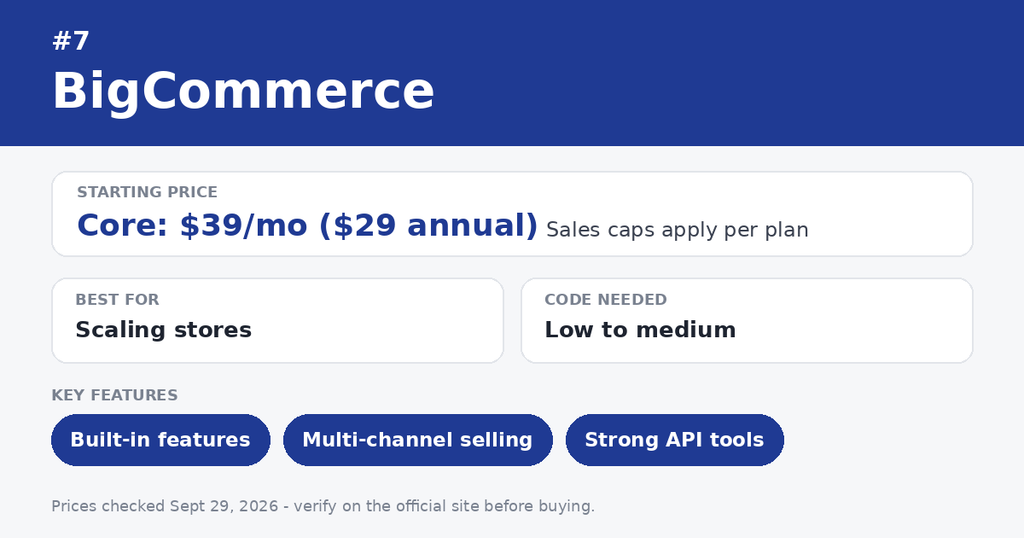
BigCommerce is a hosted platform with many features built in. You need fewer apps than on many rivals.
- Best for: Growing stores with large catalogs and B2B needs
- Code needed: Low to medium. You can use it without code, and developers can build custom themes or go headless.
- Key features: Built-in product options, multi-channel selling, and strong API tools
- Watch out for: Sales limits on each plan can push you into a higher tier. Some users find the editor less friendly than Shopify’s.
8. PrestaShop
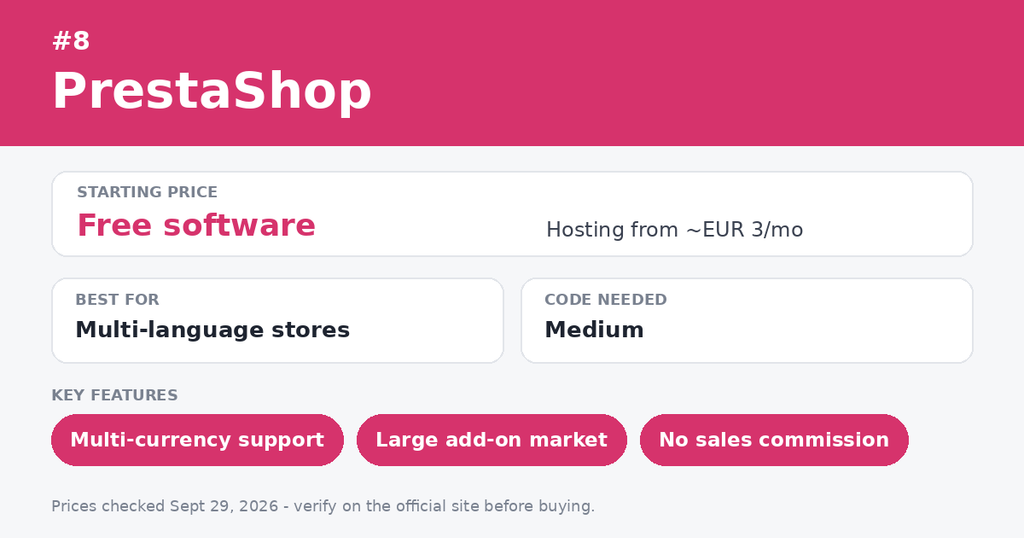
PrestaShop is another free, open-source platform. It has a loyal following in Europe and Latin America.
- Best for: Small to mid-size stores with a developer on hand
- Code needed: Medium. You install it on your own hosting, and PHP skills help.
- Key features: Strong multi-language and multi-currency support, plus a large add-on marketplace
- Watch out for: Many useful modules cost extra. Updates and security are your job.
Quick Comparison Table
| Platform | Best For | Code Needed | Hosting |
|---|---|---|---|
| Shopify | Beginners and growth | None | Included |
| Shopware | B2B and content-rich stores | Yes | Self or cloud |
| Magento | Large, complex stores | A lot | Self-managed |
| WooCommerce | WordPress users | Little | Self-managed |
| Squarespace | Creators and designers | None | Included |
| Wix | Simple, flexible sites | None | Included |
| BigCommerce | Scaling stores | Low to medium | Included |
| PrestaShop | Multi-language stores | Medium | Self-managed |
Our Suggestions: Which One Should You Pick?
Here is a simple way to decide.
- Total beginner with no code skills: Choose Shopify or Wix.
- Design-first brand: Choose Squarespace.
- Already use WordPress: Choose WooCommerce.
- Growing fast and want built-in features: Choose BigCommerce or Shopify.
- Big catalog and a developer team: Choose Magento or Shopware.
- Selling in many countries and languages: Choose PrestaShop or Shopware.
Most platforms offer a free trial. Therefore, test two or three before you commit. Add a few sample products and try the checkout yourself.
Common Mistakes to Avoid
Many new sellers rush this choice. Watch out for these traps.
- Choosing by price alone. A cheap plan may cost more after apps and fees.
- Ignoring transaction fees. These fees can quietly eat your profit.
- Skipping mobile checks. Most shoppers browse on their phones.
- Overbuilding early. You can start simple and upgrade later.
Frequently Asked Questions
1. What is the best ecommerce platform for beginners?
Shopify and Wix are the easiest to start with. Both need no code and include hosting. Squarespace is also beginner-friendly if design matters most.
2. Can I build an online store without coding?
Yes. Shopify, Wix, Squarespace, and BigCommerce all let you build a store without code. You pick a theme, add products, and set up payments.
3. Which platform is best for developers?
Magento, Shopware, and PrestaShop give developers deep control. WooCommerce is also flexible because it is open source.
4. Is WooCommerce really free?
The plugin is free. However, you still pay for hosting, a domain, and often paid extensions. Budget for these before you start.
5. Which platform is best for a large store?
Magento, Shopware, and BigCommerce handle large catalogs well. Shopify can also scale, especially on its higher plans.
6. Can I switch platforms later?
Yes, but it takes work. You must move products, customers, and orders. Plan your choice carefully to avoid a costly move.
Conclusion
There is no single winner for every store. The best ecommerce platform depends on your budget, skills, and goals.
If you want speed and simplicity, start with Shopify, Wix, or Squarespace. If you want full control, look at WooCommerce, Shopware, Magento, or PrestaShop. If you want built-in growth tools, BigCommerce is a strong pick.
Try a free trial, build a small test store, and see how it feels. Your future self will thank you.
Final Thoughts
Finding a Shopware development company is only the first step.
The bigger question is whether the team understands your business requirements.
Some companies specialise in extensions. Others focus on migration, B2B, headless commerce, or custom development.
Therefore, create your shortlist based on the type of Shopware project you are planning.
Review their portfolio. Check their Shopware experience. Discuss integrations early. And always clarify post-launch support.
A good Shopware development partner should not only build your store.
They should help you build an eCommerce setup that can grow with your business.

Manish Khilwani
Author
Co-Founder at BrainStream Technolabs, he focuses on building people-first, scalable eCommerce and digital products that help brands grow with clarity and innovation.
Table of contents
BLOGS
Learn & Grow with Us
Get the latest updates on trends and strategies that shape the business world. Our insights are here to keep you informed and inspired.
8 Best Ecommerce Platforms for Your Online Store in 2026
Choosing the best e-commerce platform is one of the biggest…

Top 10 Shopware Development Companies in India 2026
Looking for a Shopware development company in India? Choosing a…
Vendor Onboarding Without Chaos: KYC, Approval, and Who Gets to Sell
Anyone can fill out a vendor signup form. That’s the…

How to Sync Shopify and Odoo Exactly When You Want Using Manual and Scheduled Sync?
A step-by-step look at the OdooStream features that put you…